Silo Simulation
Everything that runs the silos, watches them, looks inside them, changes them and keeps them healthy: 63 tools, what each one does, where it runs, how to start it, and what it looks like running. The Project Overview explains the silos themselves.
Running the mesh
Starting the silos and joining them up.
Silo windows
Each silo runs in its own console window, a day every minute, saving after every simulated day. The window prints the day's numbers and what happened: shopping, jobs, rumours, breakdowns, pets, births and deaths. Close it with Ctrl+C (closing it with the X leaves a lock file: see Clear silo locks).
Resume_mesh_A_to_U.bat (all 21 silos, each in its own window)a fresh start:
start_mesh.bat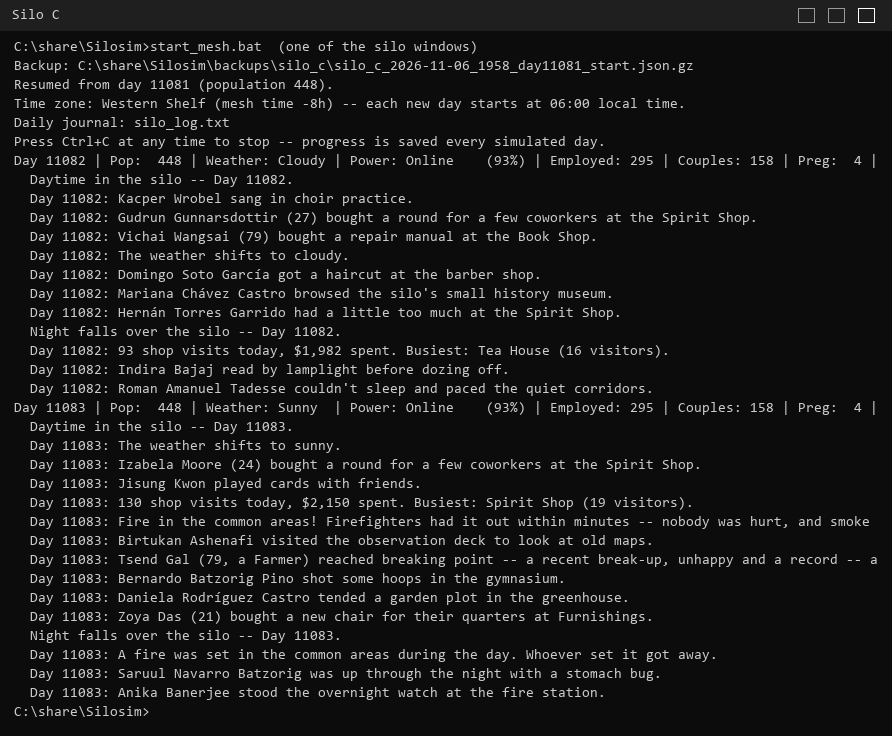 Silo C's window, picking up where it left off.
Mesh hub
Lets silos on other computers (V and W) join the mesh over the internet: it passes on their deliveries, migrants, letters and messages, mirrors the mesh for their dashboards, sends them program updates, and answers the Pico gadgets. The Reticulum version adds a backup way in when HTTP can't get through.
start_mesh_hub_reticulum.bat (or start_mesh_hub.bat, not both)with Silo A's dashboard:
start_hub_and_silo_A_web.batRemote silo kit
Everything a silo on another computer needs, in one zip from the website. Numbered start files do the rest: start the silo, start its dashboard, the lookup, the editor, set up Reticulum, reset the silo, or undo the last update. Windows (.bat) and Mac (.command) both.
SETTINGS.txt, then 1_START_MY_SILO and 2_START_MY_DASHBOARD Building the kit on the hub (update_landing_page.bat does it).
Updates and undo
V and W fetch new program files from the hub when they start, keeping the old ones in update_backup. If an update goes wrong, undo puts the old files back. The save is never touched.
undo_remote_update.batClear silo locks
A silo refuses to start while its lock file says it's already running. Closing a window with the X leaves the lock behind; this deletes the leftover locks so the silos start again.
clear_silo_locks.batWatching
Seeing what the silos are doing, live.
Web dashboard
One silo at a glance in a browser: the colony, air, water, food and power, the ecosystem, livestock, shops, the president, safety and unrest, and the latest events, with a live picture of the silo. The menu leads to every other page below. The public one is the address of your ngrok tunnel.
start_hub_and_silo_A_web.bat on the hub; 2_START_MY_DASHBOARD on V and Wthen open the address it prints
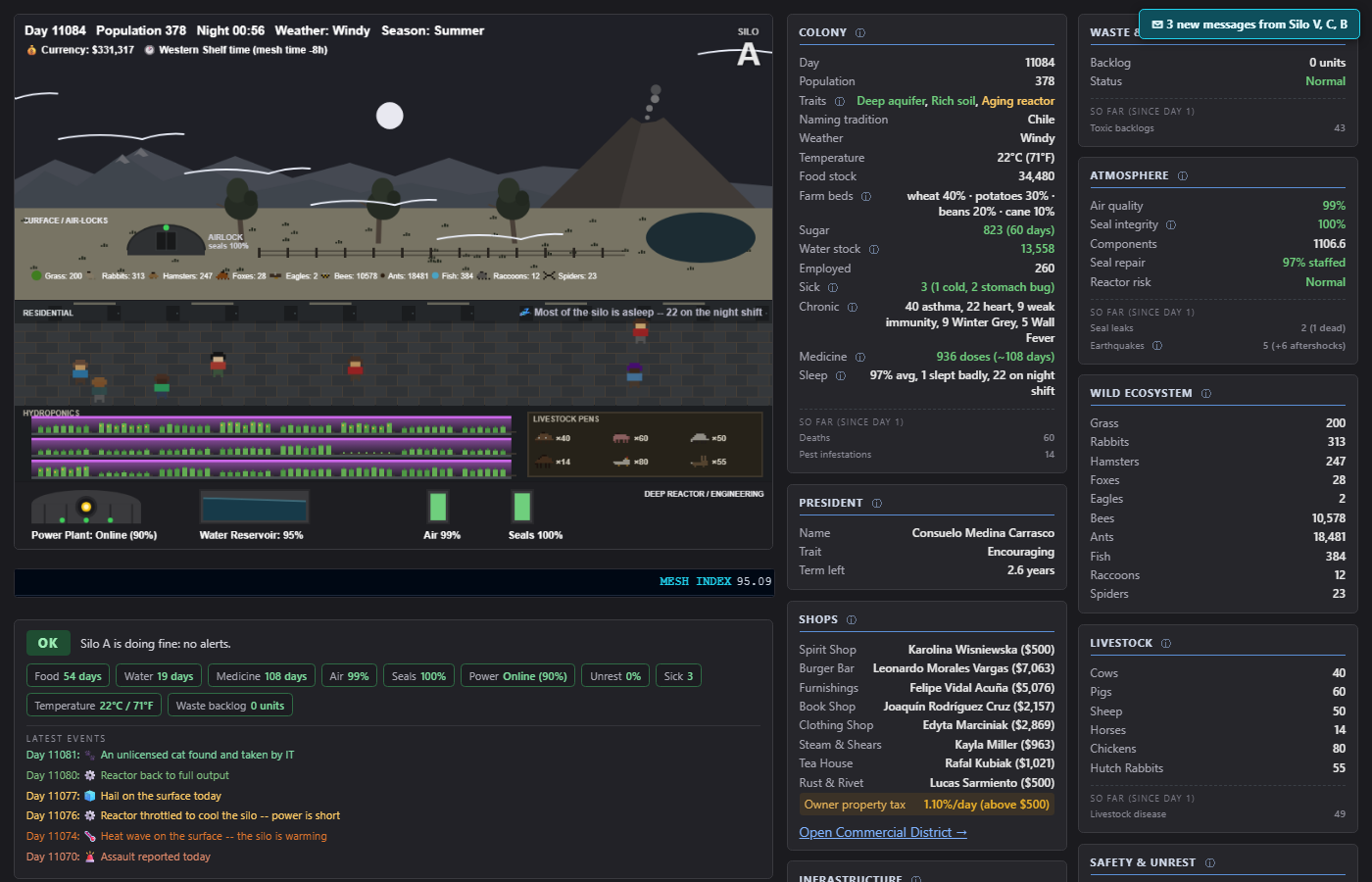 Silo A's dashboard.
Desktop visualizer
A live picture of one silo in its own window: the sky and weather over the surface, the robots and wildlife, people on the residential deck and in jail, the crops and pens, the reactor, reservoir and gauges, and the latest news. Day turns to night with the silo's own clock; storms, hail, floods and festivals are drawn as they happen.
python3 silo_visualizer.py --state-file silo_a_state.json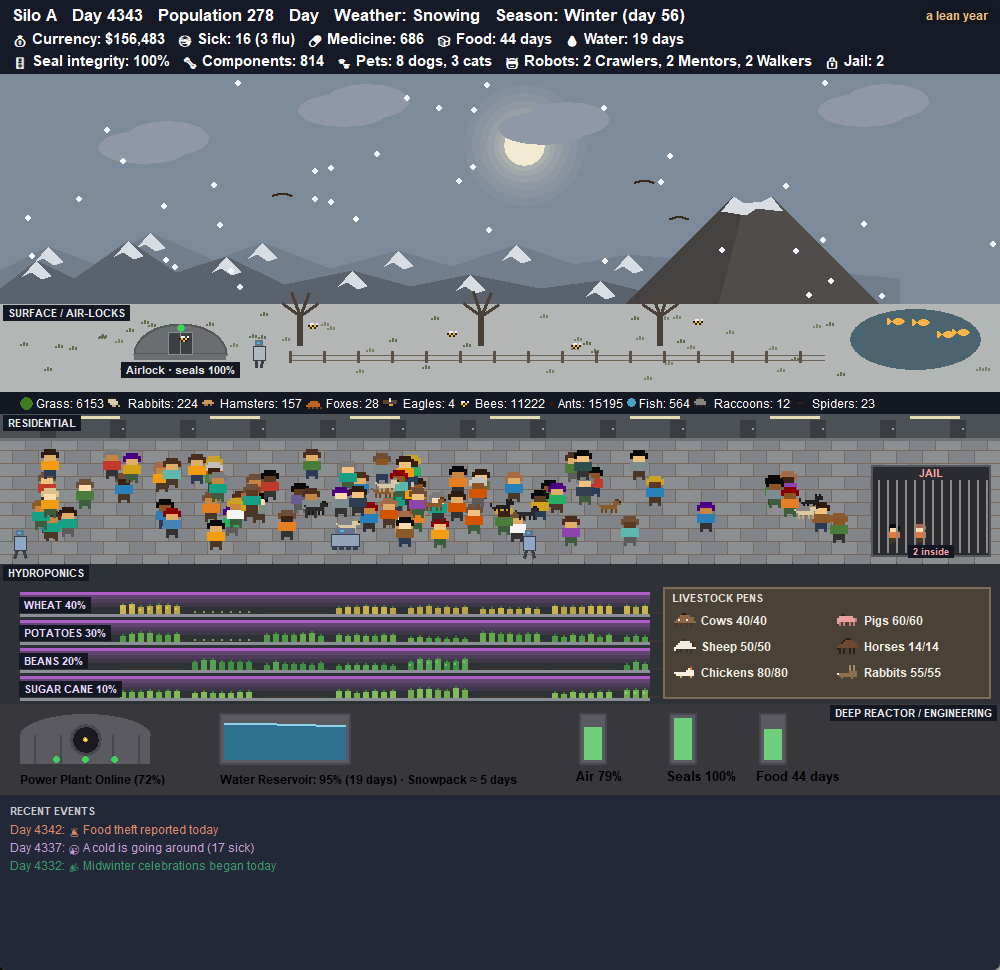 Silo A by day.
Dual view
Opens two silos' visualizers side by side in one step (A and B unless told otherwise), optionally with a GUI editor for each. Ctrl+C in its window closes them all.
python3 launch_dual_view.pypython3 launch_dual_view.py --with-editors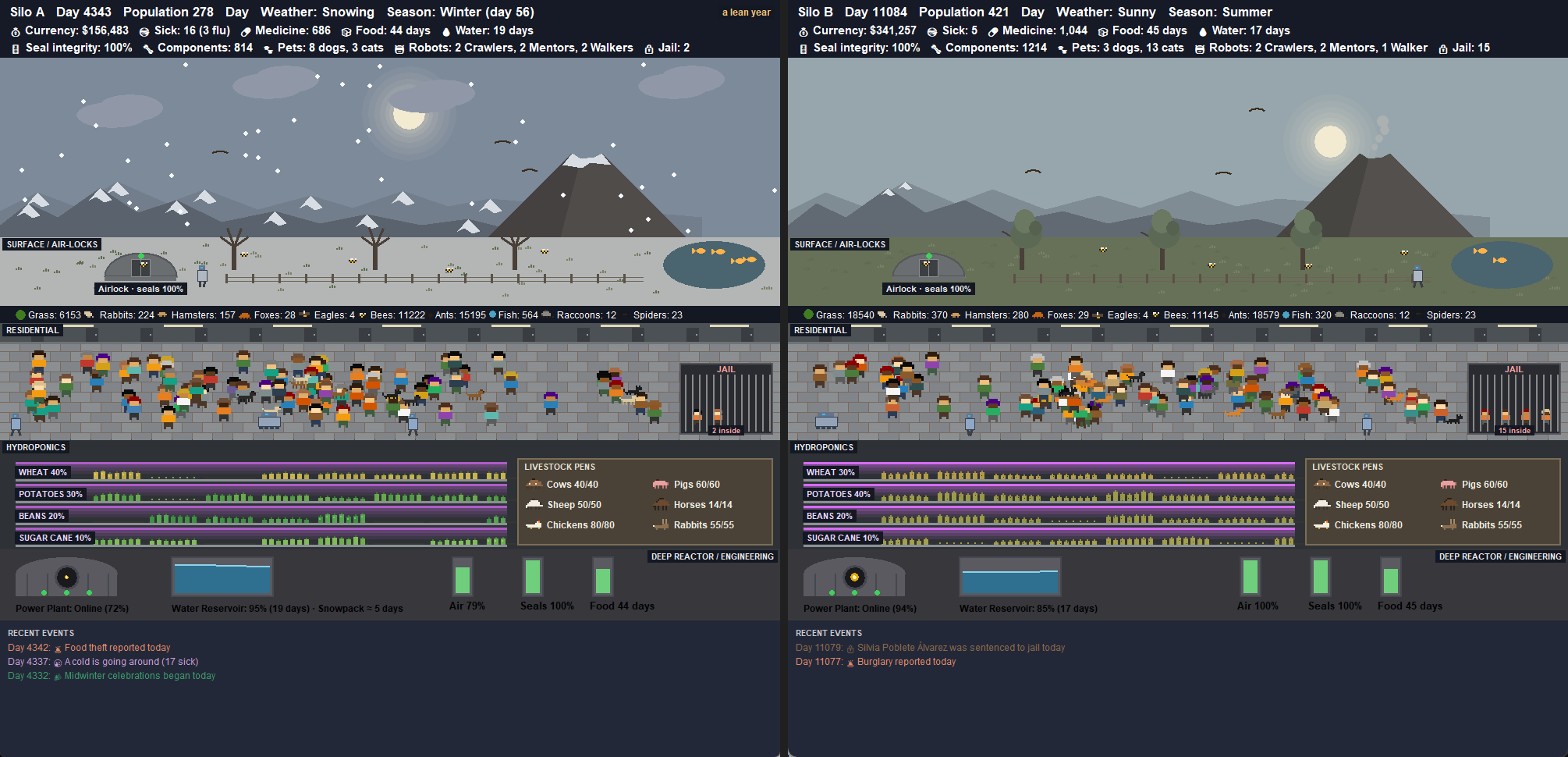 Silos A and B together.
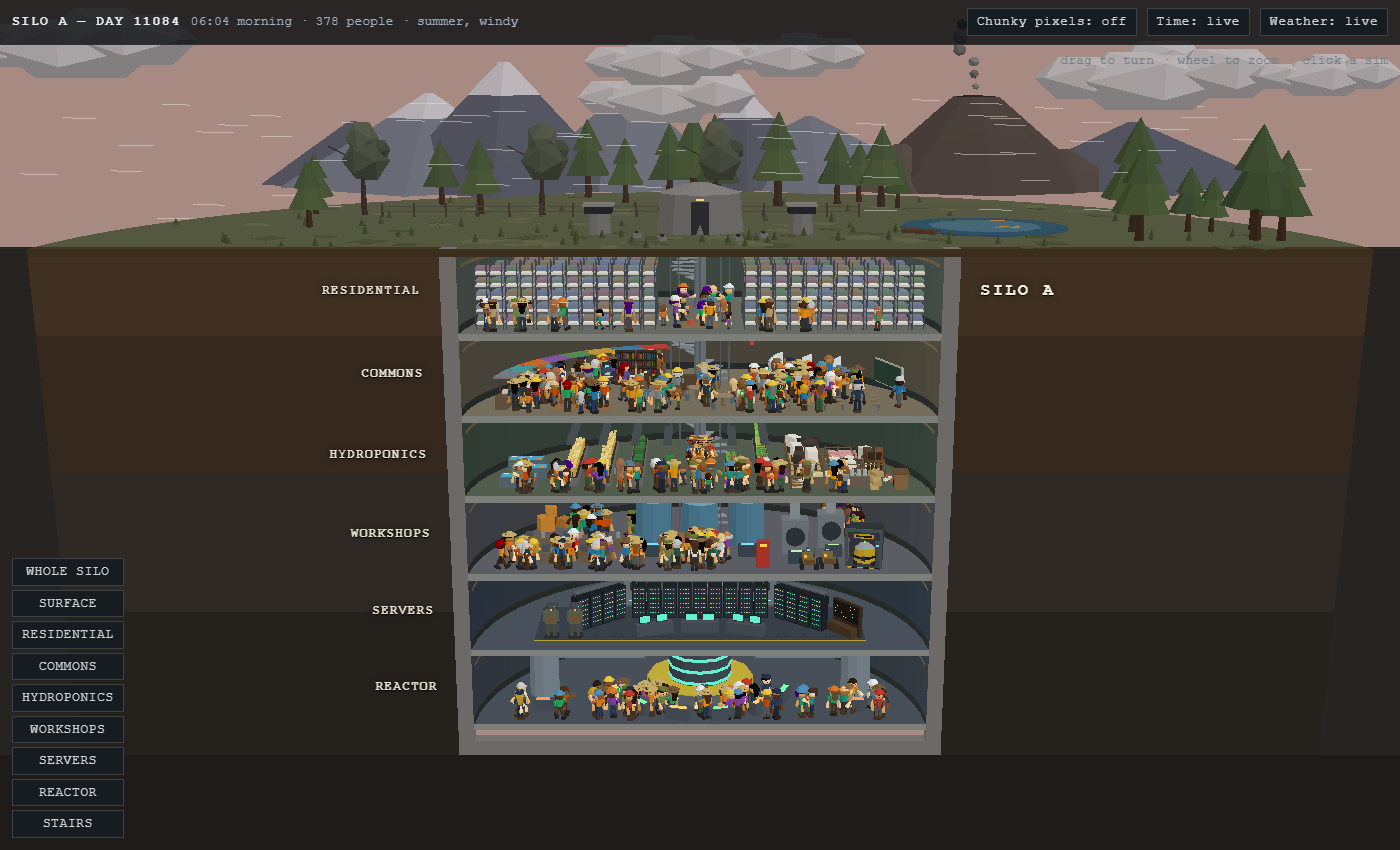
3D silo
The silo as a 3D model you can turn and zoom around, from the surface down to the reactor.
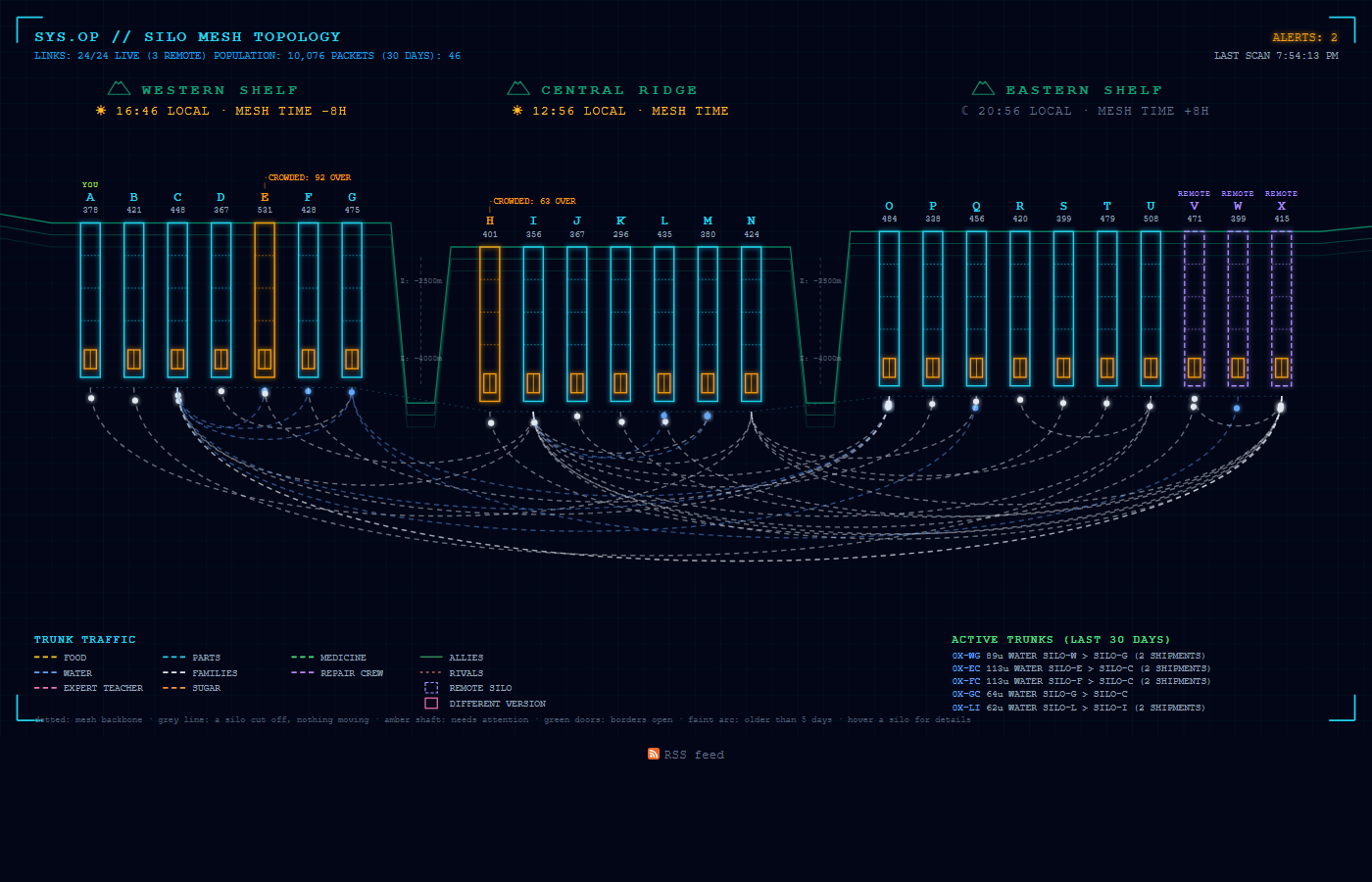
Mesh map
Every silo on one map, coloured by how it's doing, with what's moving between them.
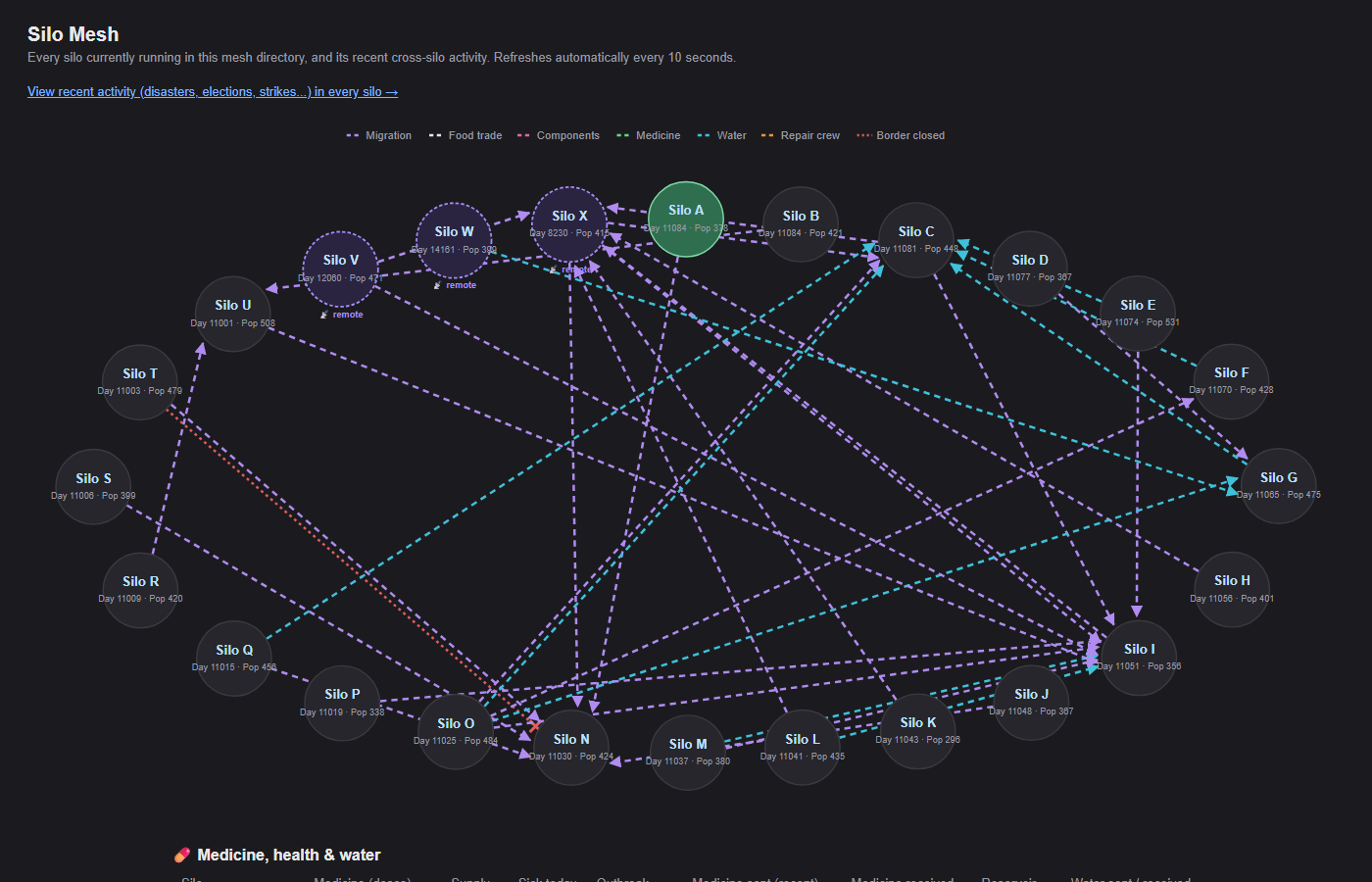
Silo Mesh
A table of all the silos side by side: population, food, water, medicine, power, alerts and who's up, for spotting the one in trouble.
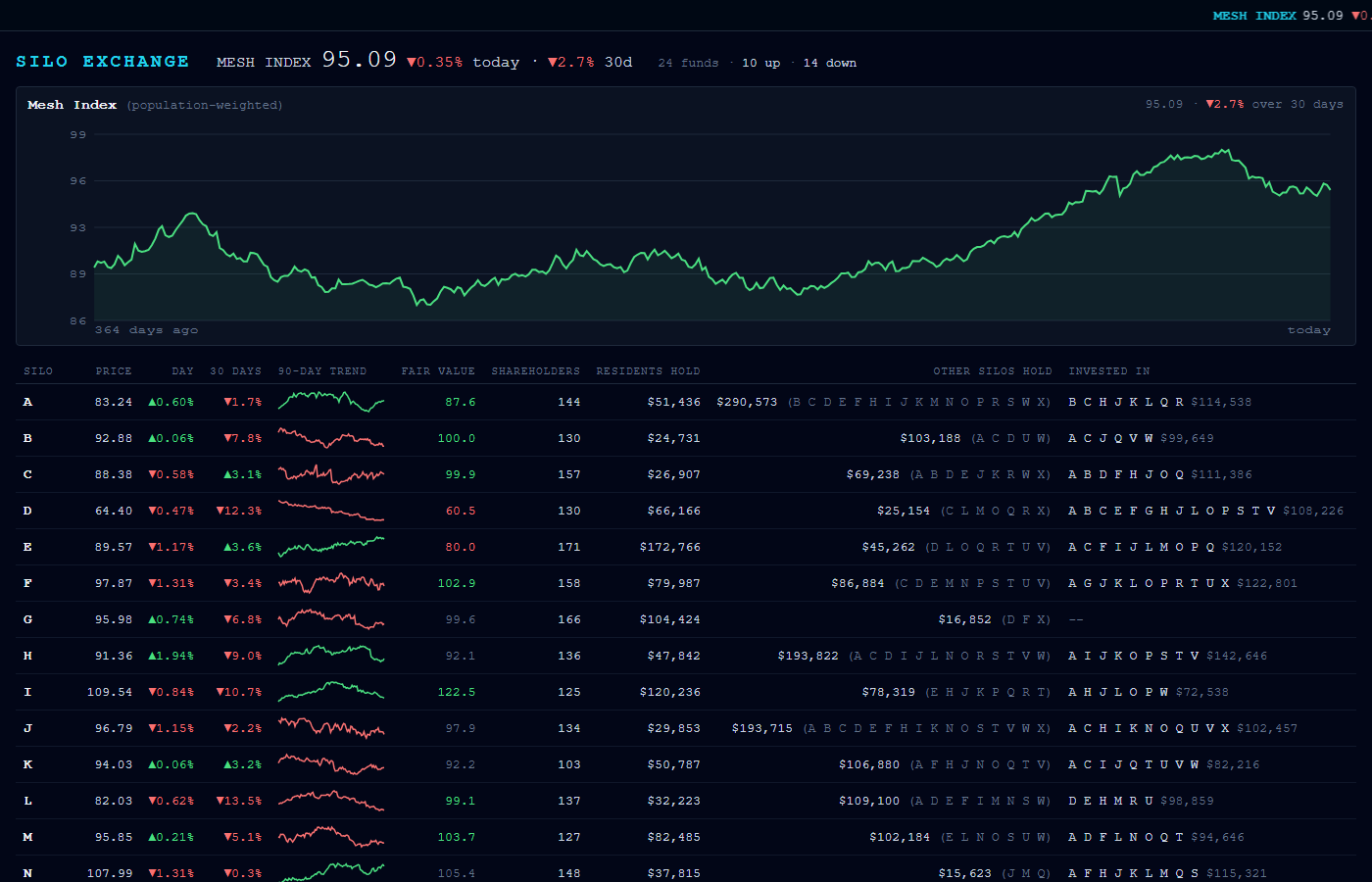
Stock Market
Each silo's fund price, its moves and its debts to other silos, as a running ticker and charts.
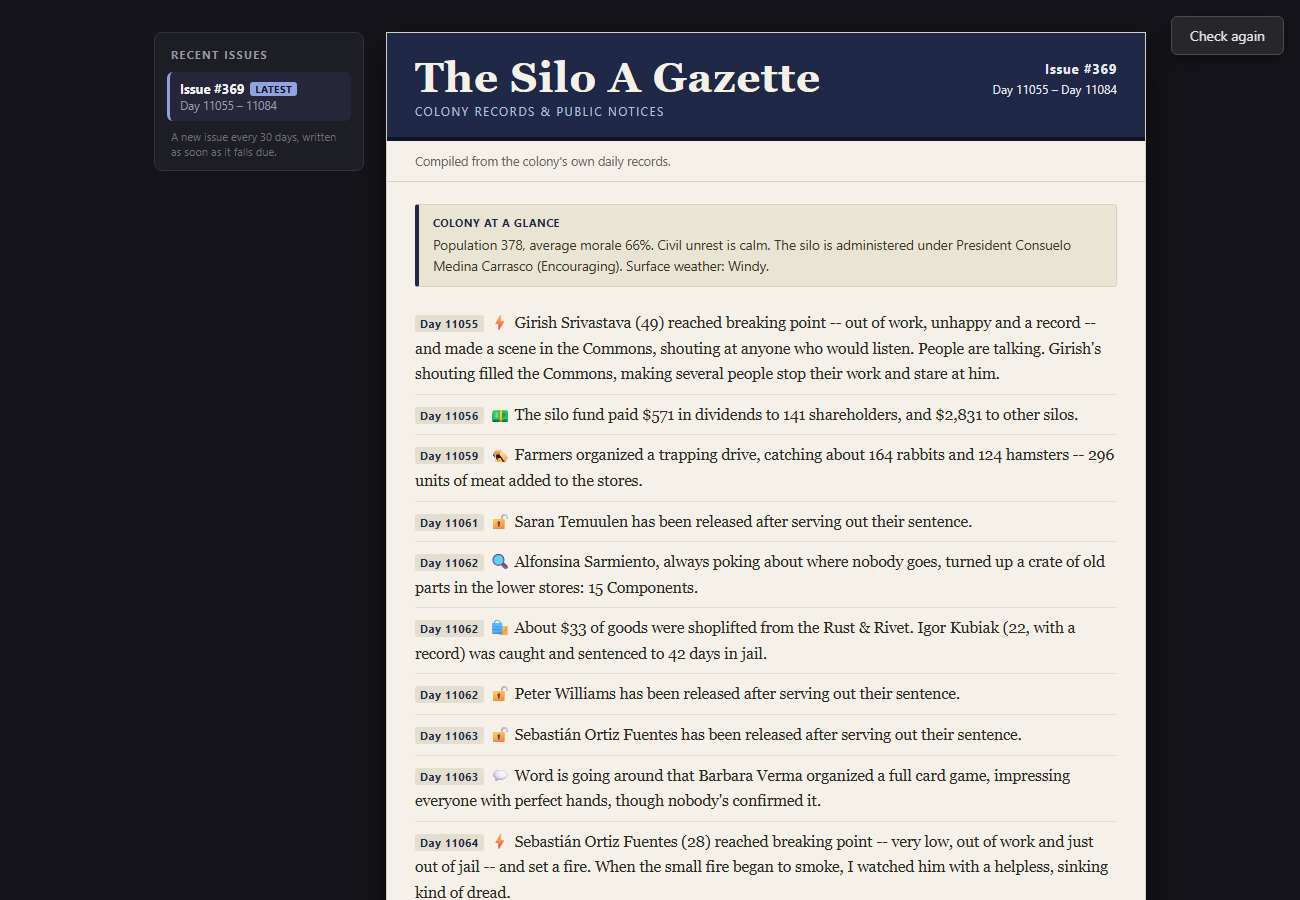
Newsletter
The silo's own newspaper, written from what really happened: the news, births and deaths, community notes and pets.
Activity log
The daily journal every silo writes: the full numbers and every event of each day. The dashboard shows the newest days; the file keeps them all.
silo_a_log.txt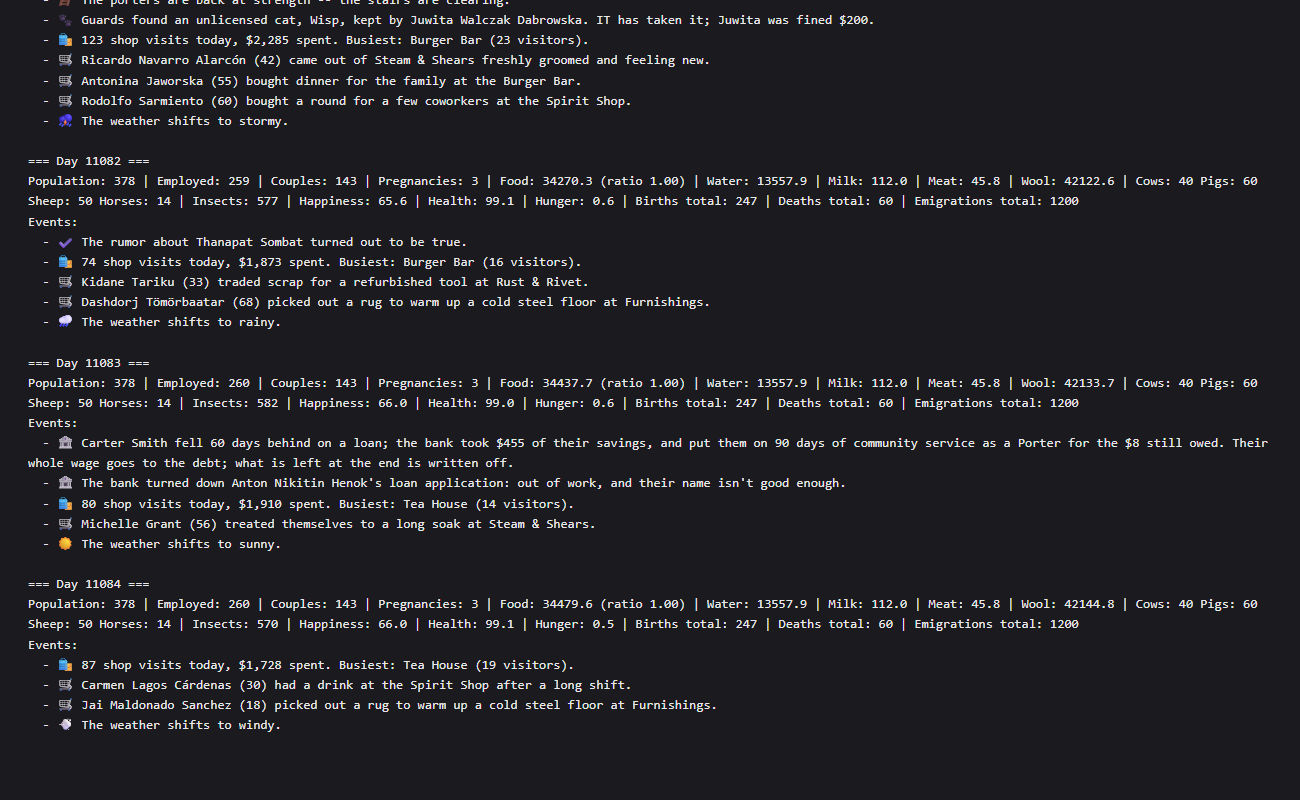
Network traffic
What's travelling between the silos and the hub, over HTTP and Reticulum: how much, how often, and anything that failed.
/traffic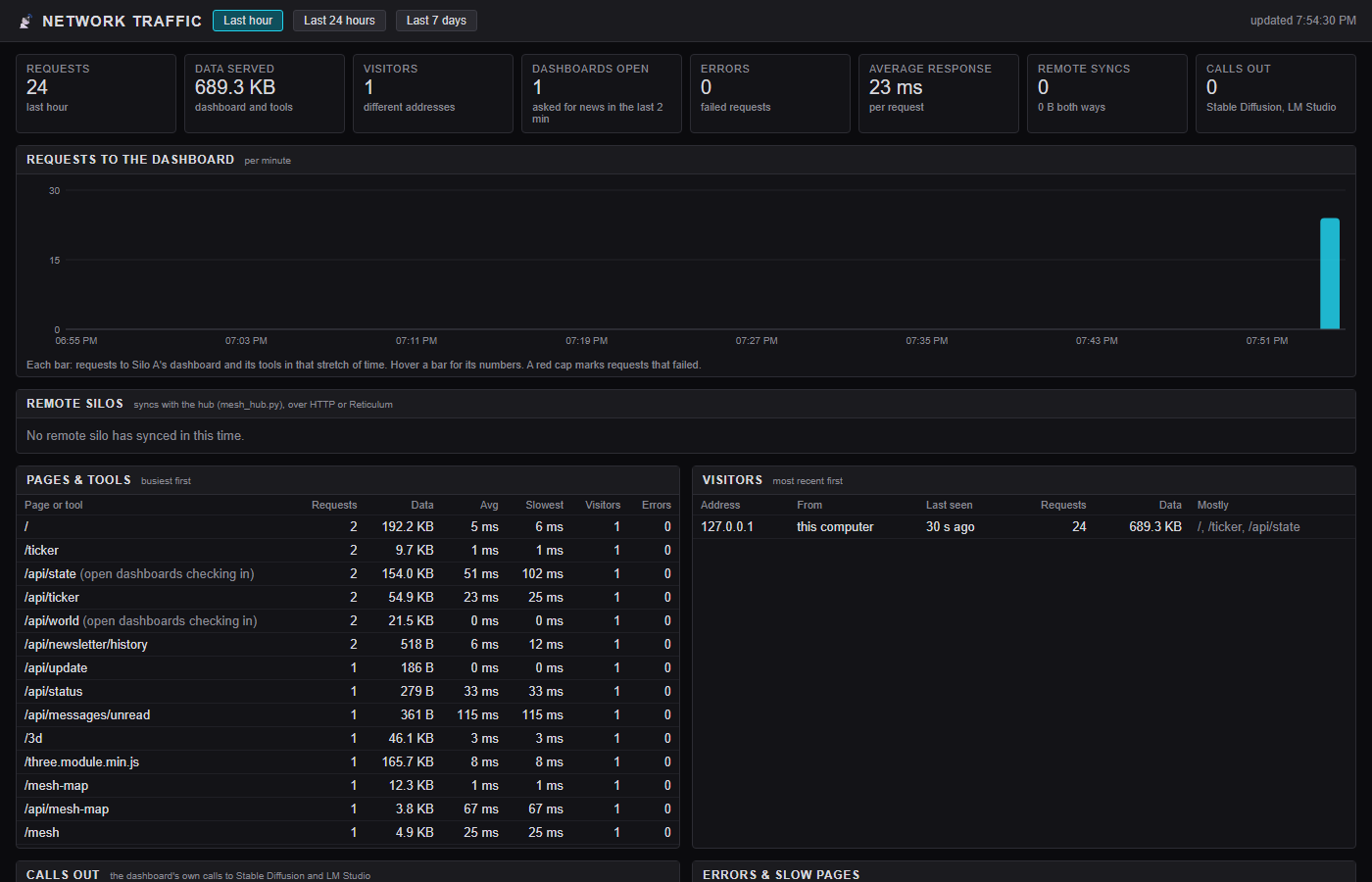
History charts
Plots a silo's history file (population, food, happiness and more, day by day) as charts. Needs matplotlib and pandas.
python3 plot_history.py silo_a_history.csvLooking things up
Finding people, families and records.
Lookup tool
Look up anyone in any silo: their life story, family, money, health, pets and portrait; or a silo's jobs, shops, jail, couples, pets, market and more. Type a name or a number, or press the view buttons.
in a window:
silo_lookup.bat, then e.g. A #1621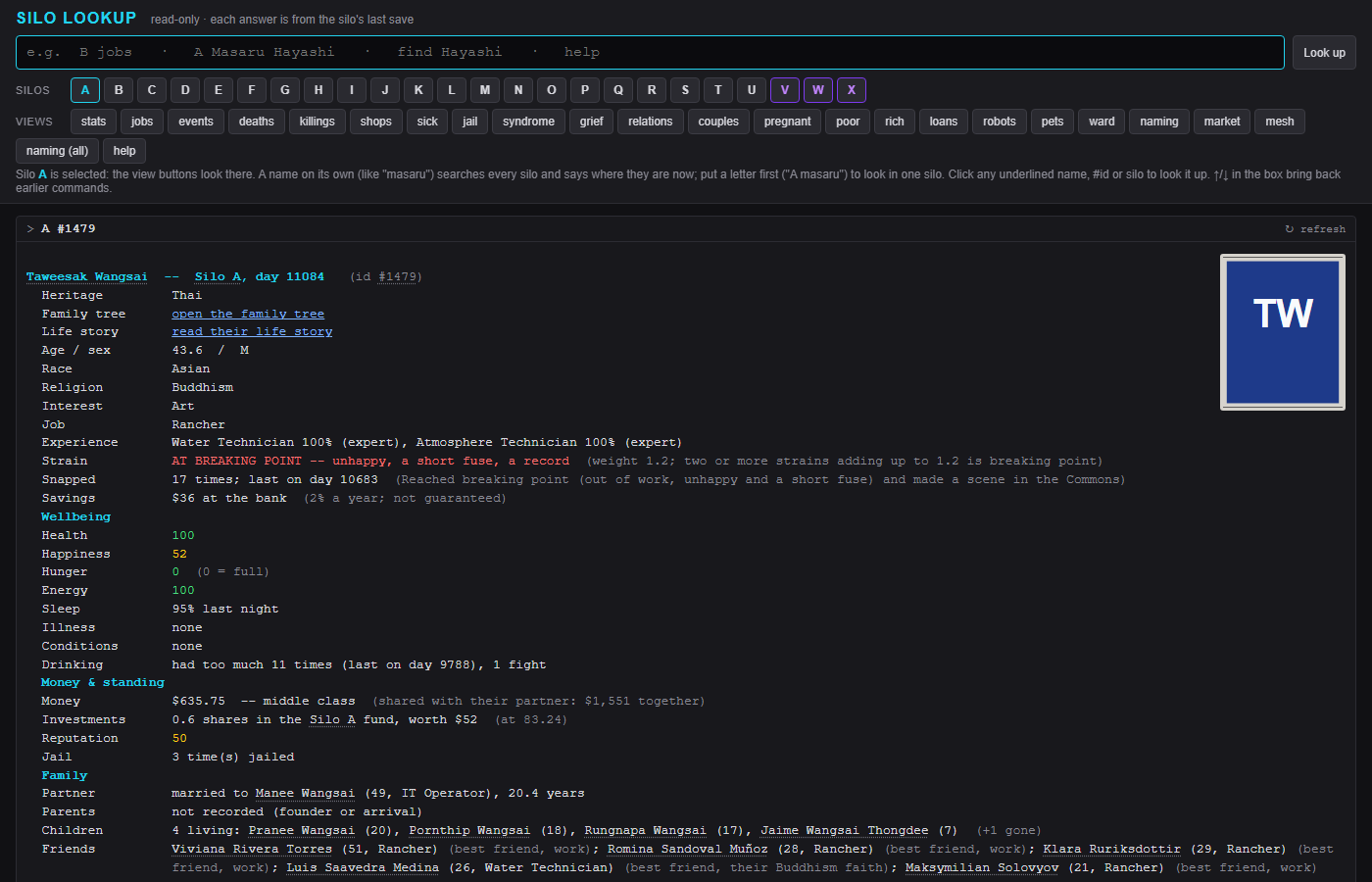 A person's page on the dashboard.
Lookup in a window
The same lookup at a command prompt, for when the dashboard isn't running.
silo_lookup.bat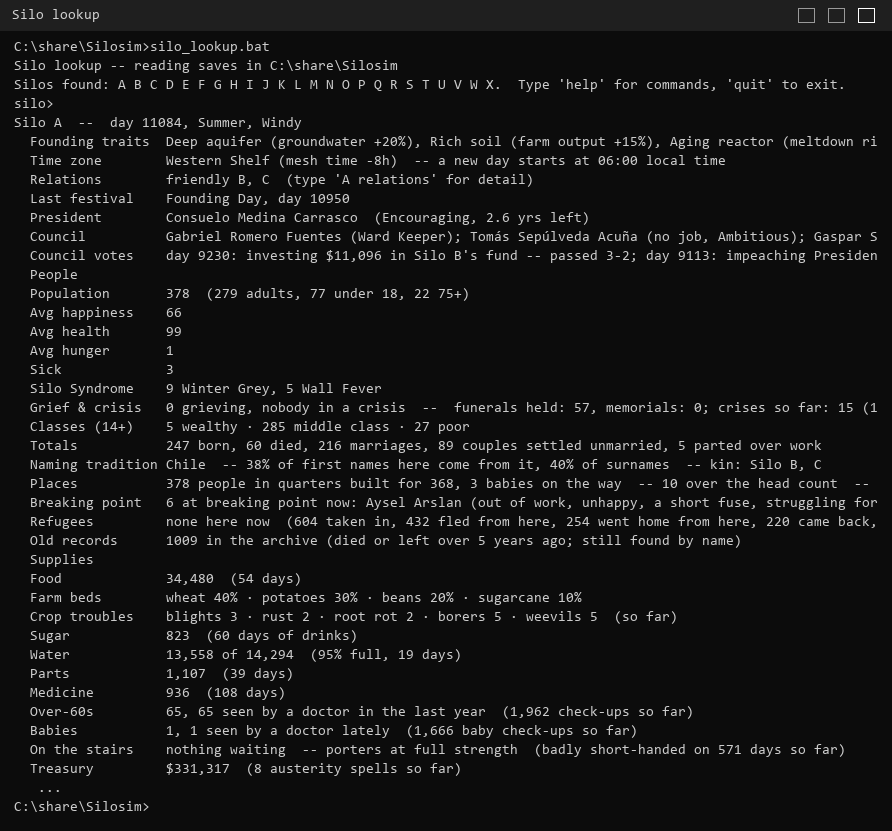
Family tree
One person at a time: their parents, partner, children and step-children, with pets and portraits. Click anyone to move to them; the whole family is behind a button. The dead are greyed out.
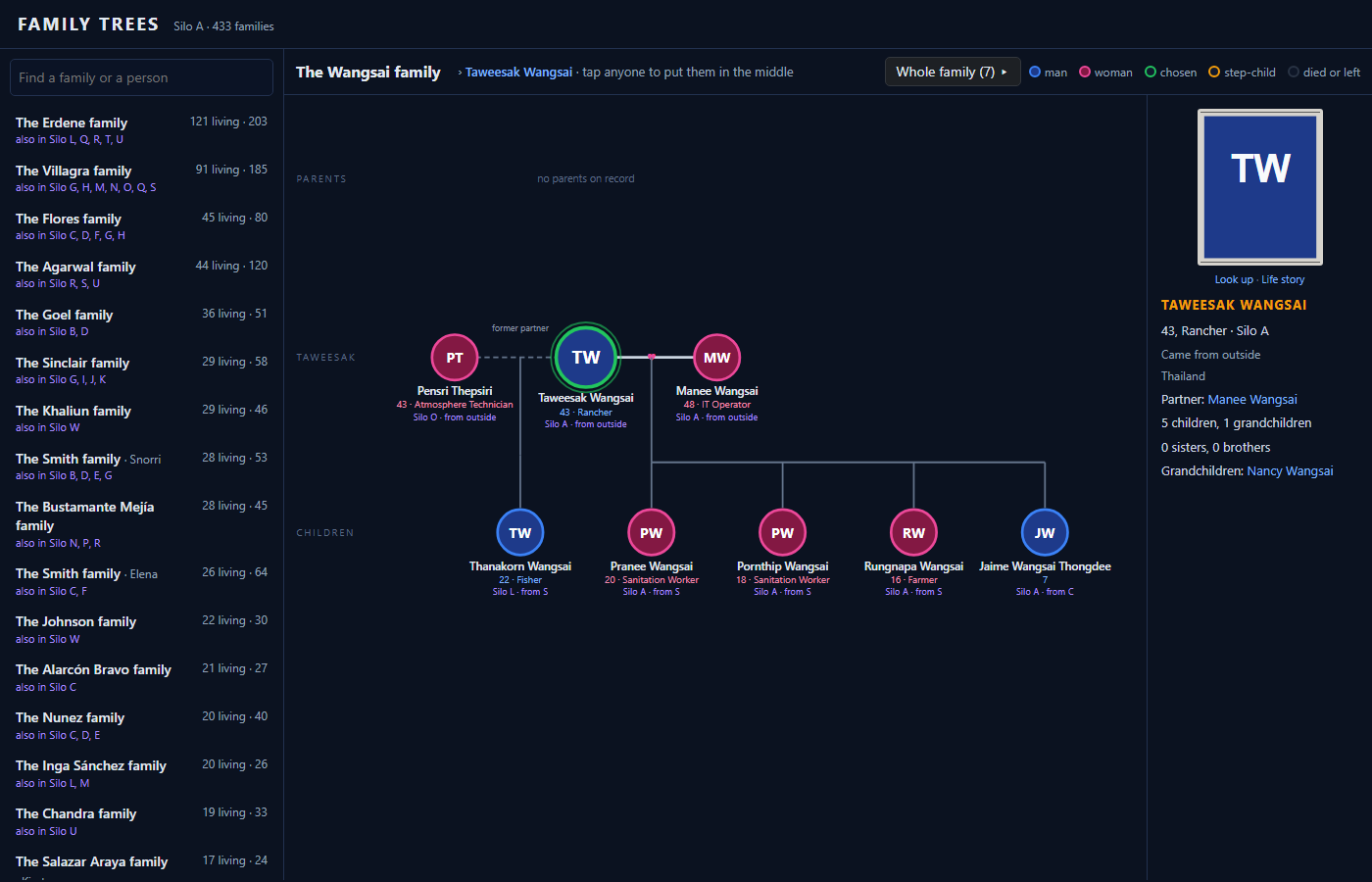
Mesh database
A copy of the important data in one SQLite file (silo_database.db), kept up to date by the hub every 10 minutes: everyone the saves remember (alive, dead, moved away), every life story line and disaster, each silo's figures day by day, and each time a computer went quiet or came back. The saves stay the real record; delete the file and the hub builds it again. The page (Datasette, free and open source, installed the first time) lets you browse, filter and sort every table, save it as CSV, and ask 42 ready-made questions under four headings (people and families, life and death, crime and justice, the silos; and the outages) or your own in SQL.
database_page.bat, then http://localhost:8001fill it without the hub:
python3 silo_db.py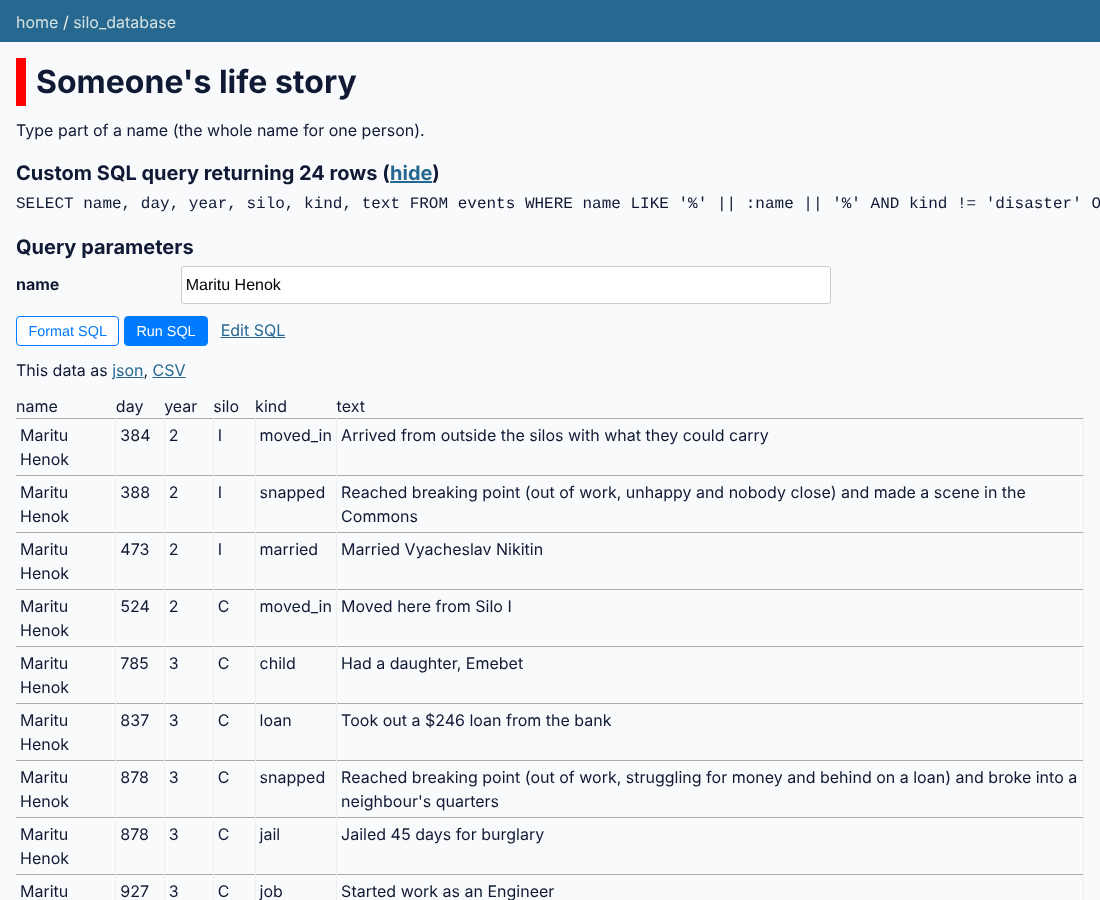 Someone's life story, across the silos they lived in.
Silo Records (the website)
The records on kinworx.net for anyone: what has happened lately in the silos (also as an RSS feed, feed.xml, for feed readers), find someone and see their card (age, work, family, each a link) and life story, 39 questions as buttons under four headings, or your own in SQL. A small copy of the mesh database (people, life stories, each silo a day a month; not the computers) that runs in the visitor's own browser, so the hub is never asked and nothing goes through the tunnel. update_landing_page.bat makes a fresh copy.
database.html on the website (the Silo Records button on the home page)fresh:
update_landing_page.bat, then upload what it names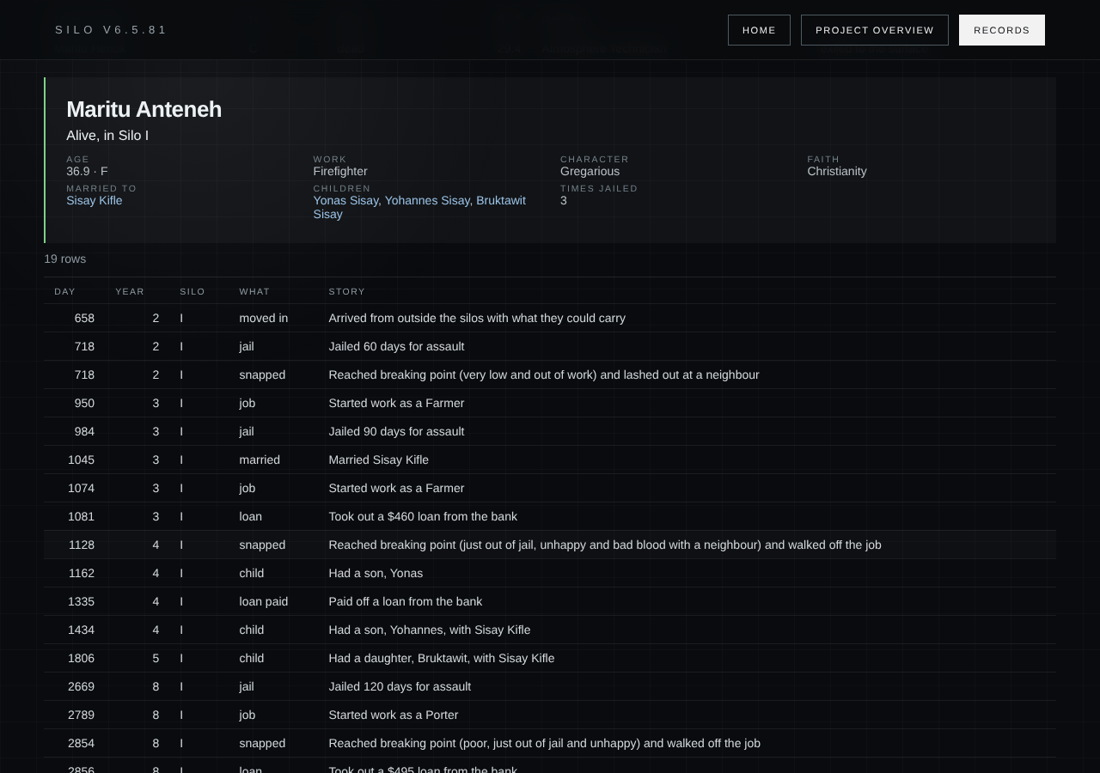 Someone's card and life story, on the website.
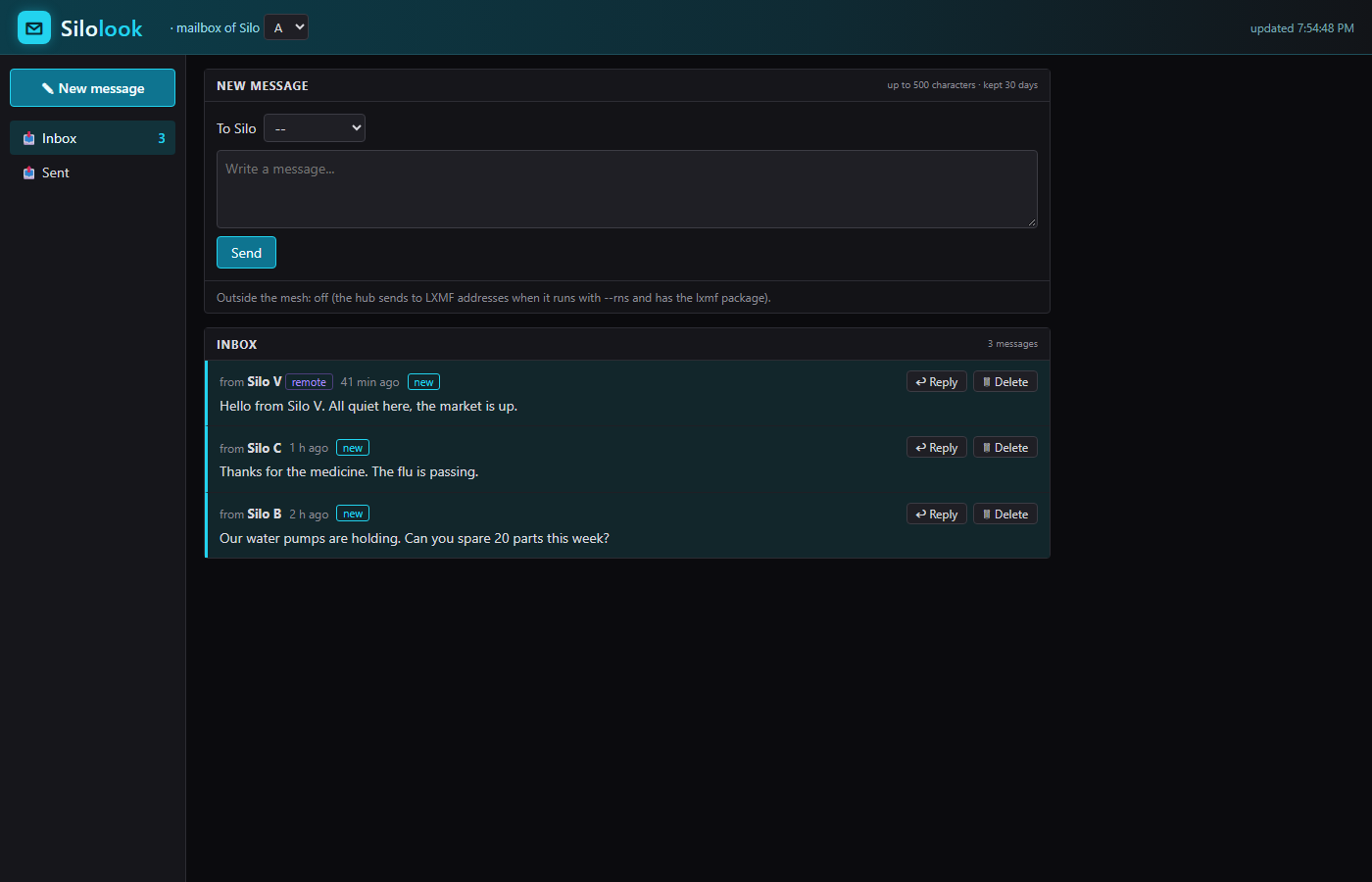
SiloLook messages
The mesh's email: messages between silos and to the outside world over LXMF, with the Sysop and past contacts at the top of the To list.
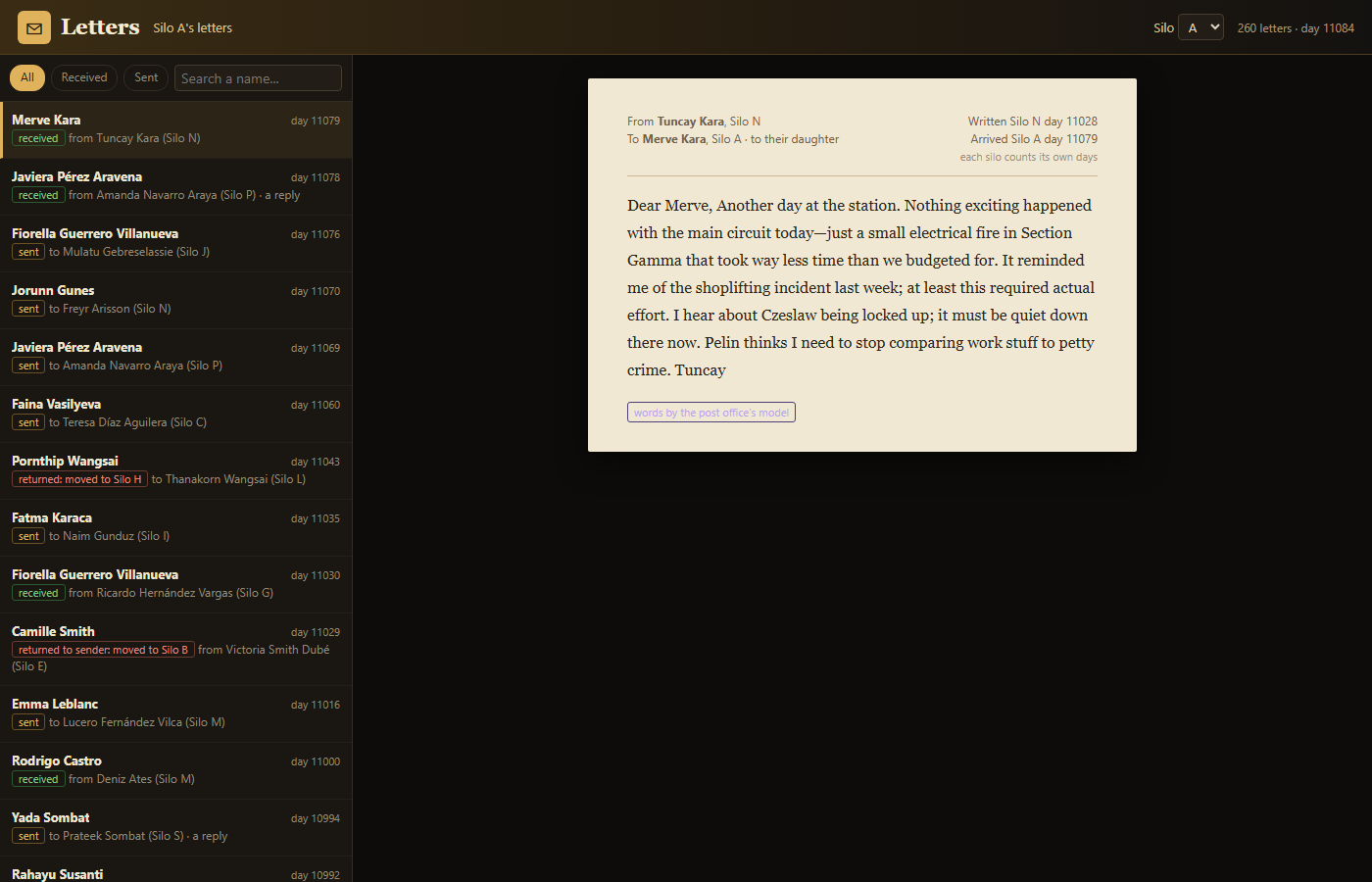
Letters
The letters families write each other across silos: news from home, births, deaths and moves.
Other dashboard pages
The system flowchart of how a silo works; the shops (the Commercial District); people in poverty; deaths and their causes; the Memorial Wall (the dead, with their portraits); the robots list; chess against a sim; the scene picture; and the LLM narration log.
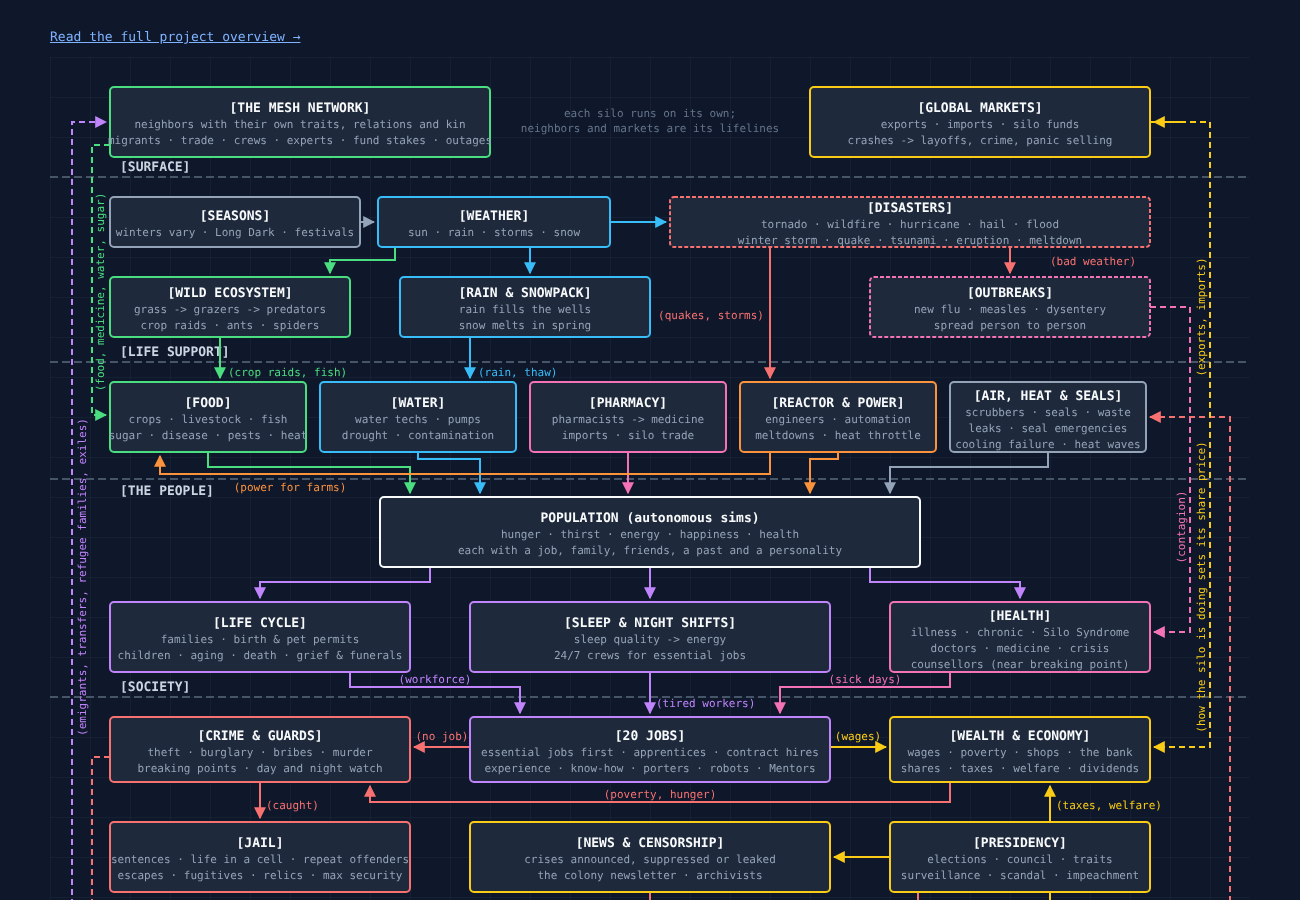 The flowchart (make_flowchart.py draws it).
Deep Dig
How a silo grows: when it's crowded and healthy, and it's been 25 years since its last new deck, the council votes to dig one out of the bedrock. A drafted crew runs a drill that eats power and parts and stops for gas, jams in the granite and floods (which can kill); then the engineers build the deck out, and its 10% more room is given out over a year. The dashboard's Deep Dig card follows it, and its 3D view looks straight down the shaft: the drill turns only while they really dig.
/drill)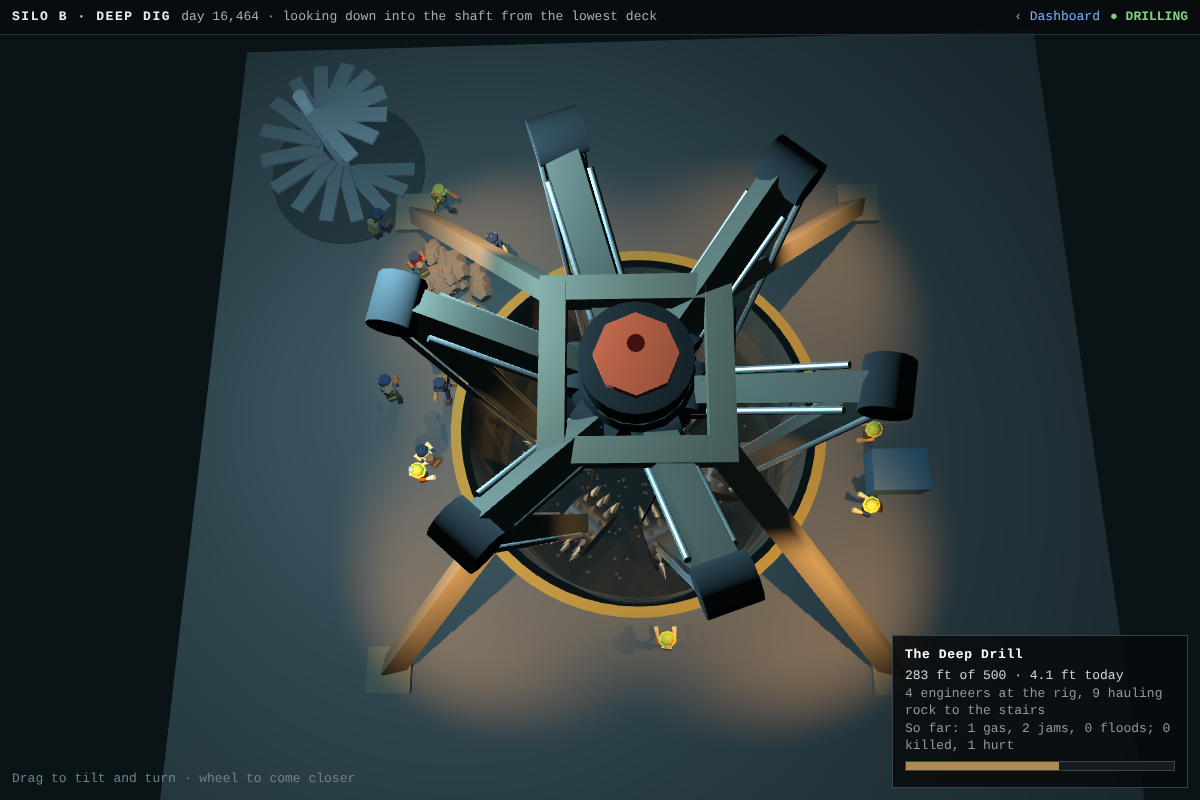
Changing a silo
The sysop's tools. They change saves, so close the silo first unless it says otherwise.
GUI editor
Every person in a silo in one table: search, sort, add, edit or remove anyone, and fix repeated names. Edit Colony Stats / Disasters changes the silo itself and triggers any crisis.
silo_gui_editor.bat A (or type the letter when asked)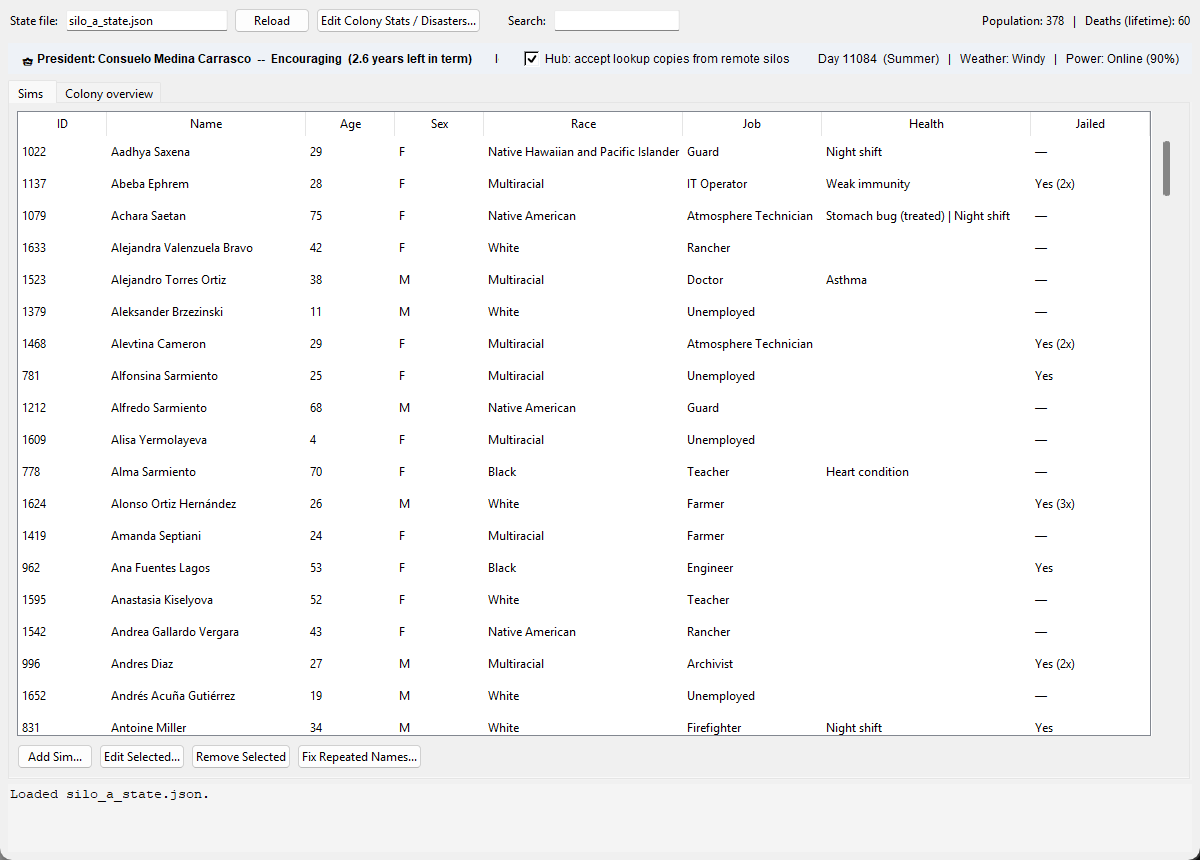
Web editor
The GUI editor in a browser, from anywhere, behind a password: choose any silo on the hub, search its people, open a profile and change it, add or remove someone, see the colony overview, and the Controls tab: the colony figures, the Trigger and Clear buttons, shops, grudges and the settings boxes. Every change waits for the silo itself to make it on its next day (it needn't be closed), its save is backed up first, and every login and change is listed. Five wrong passwords and that address waits 15 minutes.
SET_EDITOR_PASSWORD.bat on the hub PC; then your dashboard's address + /editor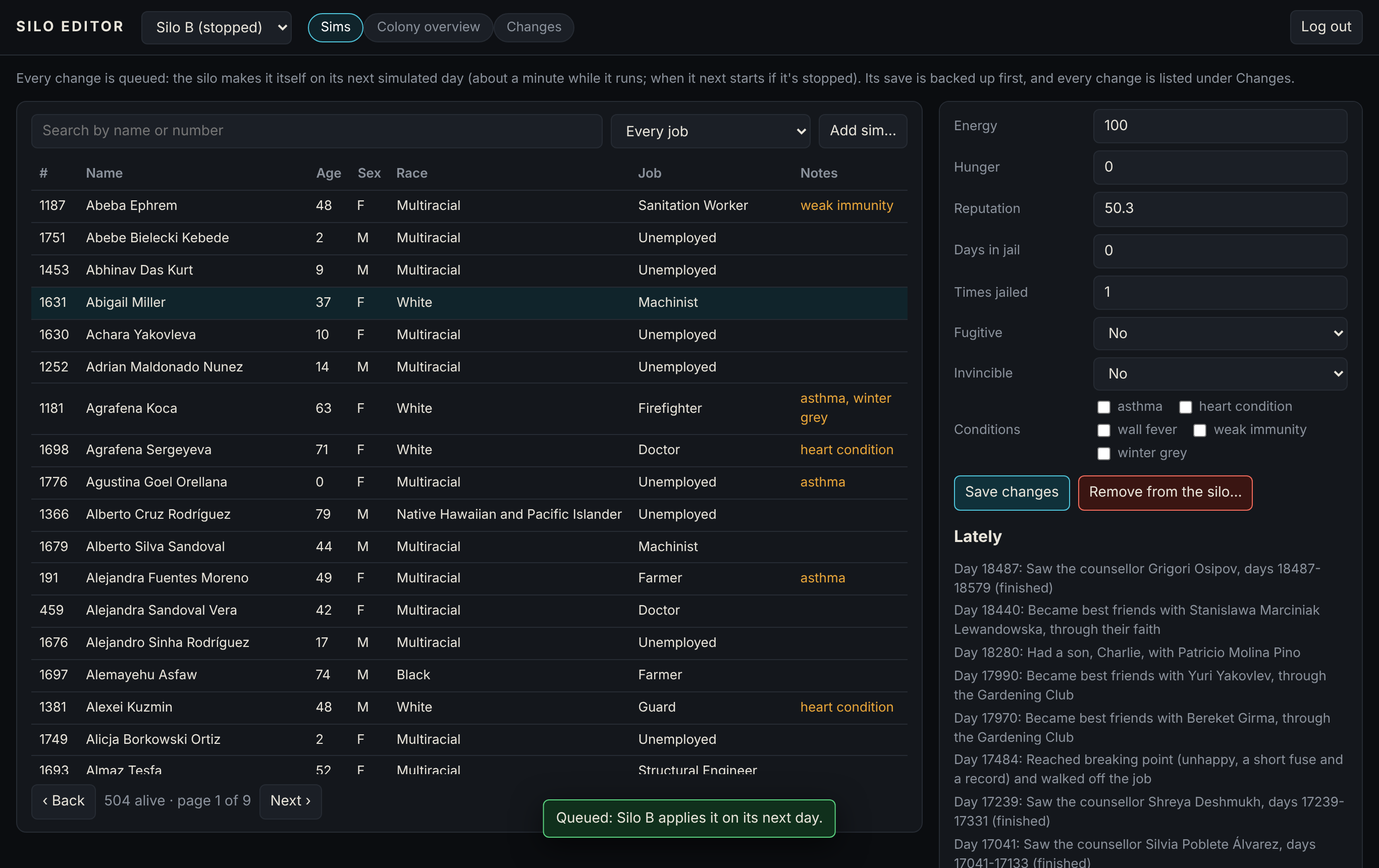
CLI editor
The editor at a command prompt: show the colony, list, add, edit or remove people, change the stores and trigger any disaster, one command at a time. The crisis files use it.
python3 silo_editor.py --state-file silo_a_state.json colonypython3 silo_editor.py --state-file silo_a_state.json edit-colony --help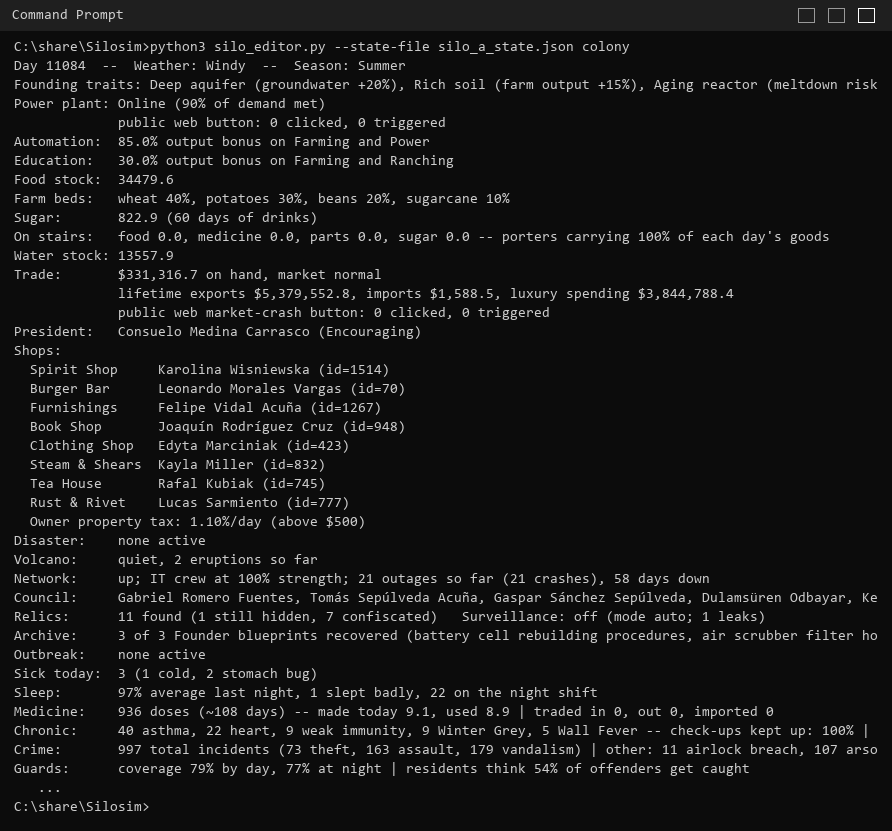
Random crisis
Picks one random crisis for every silo, shows the whole list and asks once before anything happens. A running silo meets its crisis on its next day.
Trigger_random_crisis_A_toU.batReactor meltdown
Asks Y or N for each of Silos K to T, shows your picks, and asks once more. Each chosen reactor melts down on its next day.
trigger_meltdown_k_to_t.batAdd money
Adds money to every silo's treasury (or the ones named). A running silo picks it up as it saves.
add_money.bat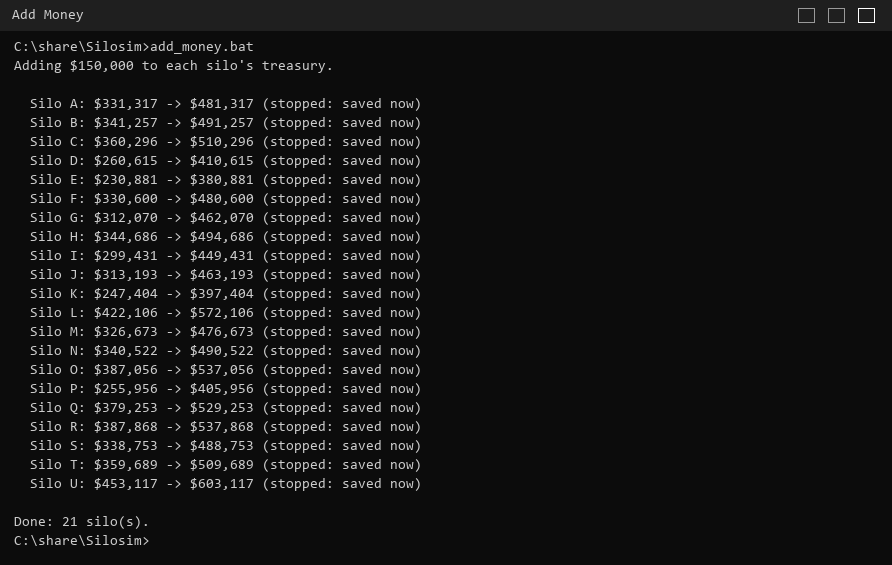
Add unemployed adults
Adds a few job-seeking adults to the silos named, for a silo short of workers.
add_unemployed_adults.bat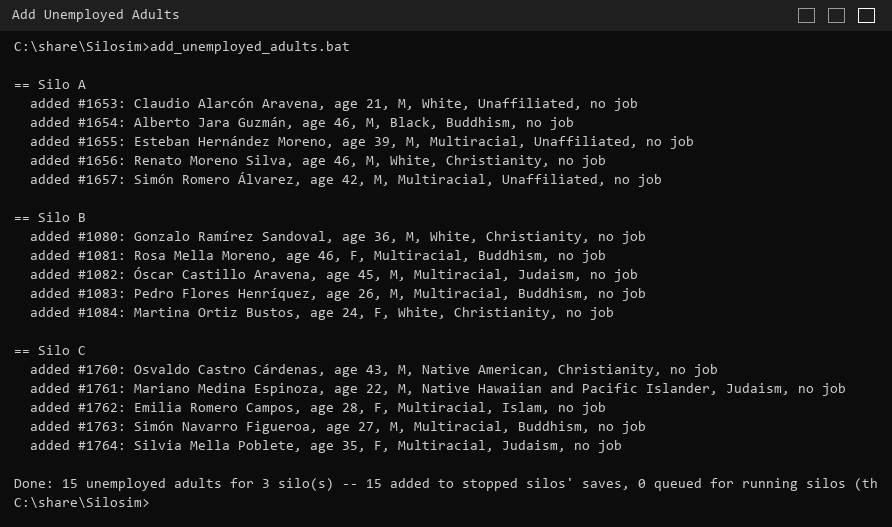
Refound a silo
For a silo past saving: its people move to the neighbours and new settlers start it again. It asks for yes first; anything else does nothing.
refound_silo.bat Answering n: nothing done.
Reset silos
Starts silos over from day one (backed up first). --list only shows what it would reset.
reset_all_silos.bat, reset_silos_a_to_j.bat, reset_silos_k_to_t.bat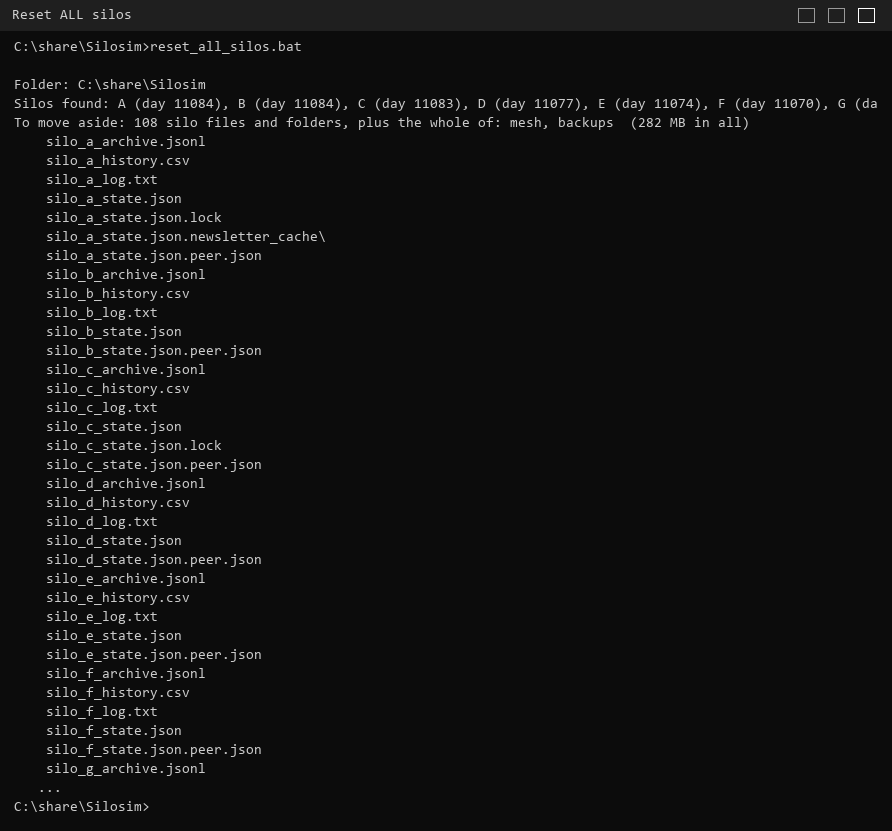
Checking & fixing
Keeping the program and the saves healthy.
Tests
Every test suite, or the ones named. RUN_ALL_CHECKS runs the tests, the health check, the record check and a snapshot one after another, with no pauses (about half an hour). Some tests open a visualizer window for a moment.
RUN_TESTS.bat or RUN_TESTS.bat petsRUN_ALL_CHECKS.bat
Health check
Runs copies of the silos forward (a year by default) and reports what went wrong: deliveries, poverty, sickness, strikes, shortages, the market. The real saves are untouched.
run_healthcheck.bat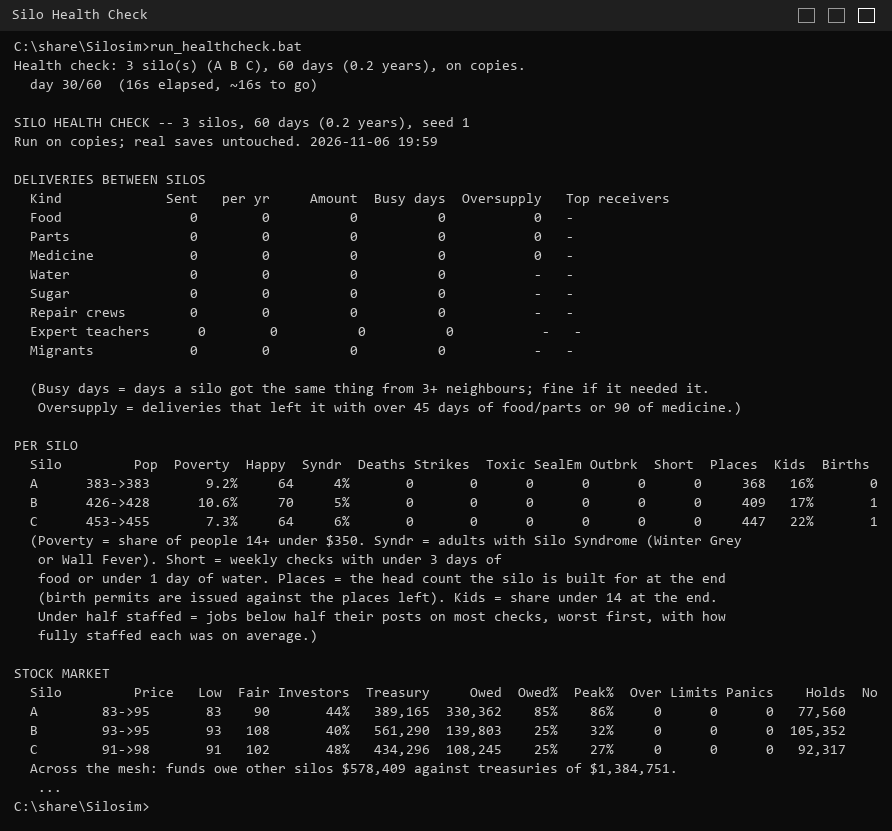
Record check
Checks the saves' records add up: people, families, money, jobs and the archive of the dead. Someone alive in two silos? Fix duplicates (below) sorts it out.
run_recordcheck.bat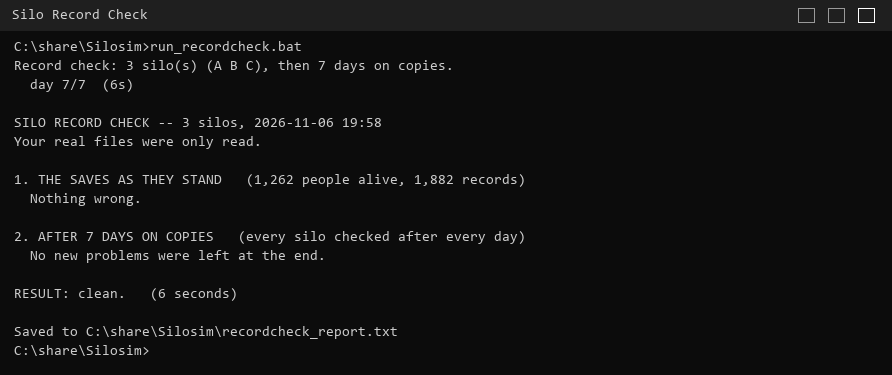
Restore a silo
Lists each silo's backups (made at start-up and on a timer) and puts one back. Afterwards it checks whether the restored save brought back anyone who had since moved to another silo (see Fix duplicates).
restore_silo.bat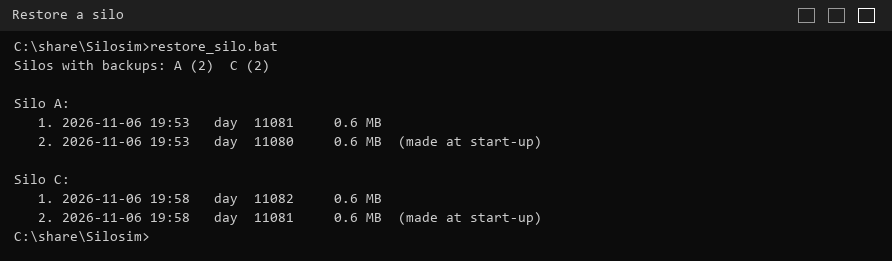
Fix duplicates
Finds anyone alive in two silos at once (someone who moved from one silo to another, but the silo they left still has them, after its save was restored, copied back or lost) and works out which copy is the leftover. It looks first and asks before fixing; the leftover is then marked as having moved, letting go of any shop, seat or money it held there. Skips any silo still running, and backs up each save it changes (.before_fix.json).
fix_duplicates.bat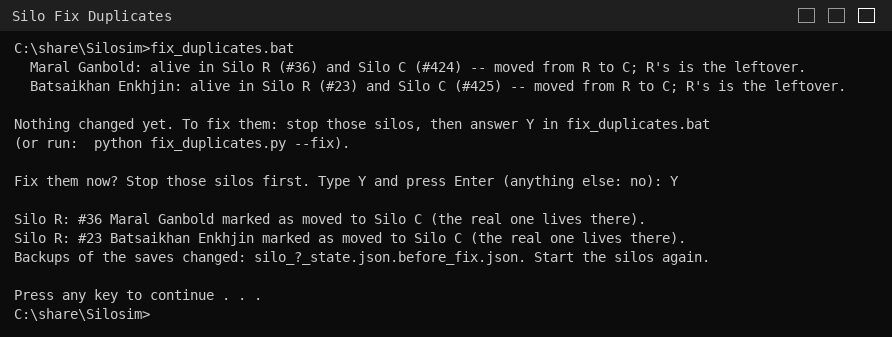
Delete old logs
Trims the activity logs to the last 365 simulated days (by default) so they don't grow for ever.
delete_old_logs.bat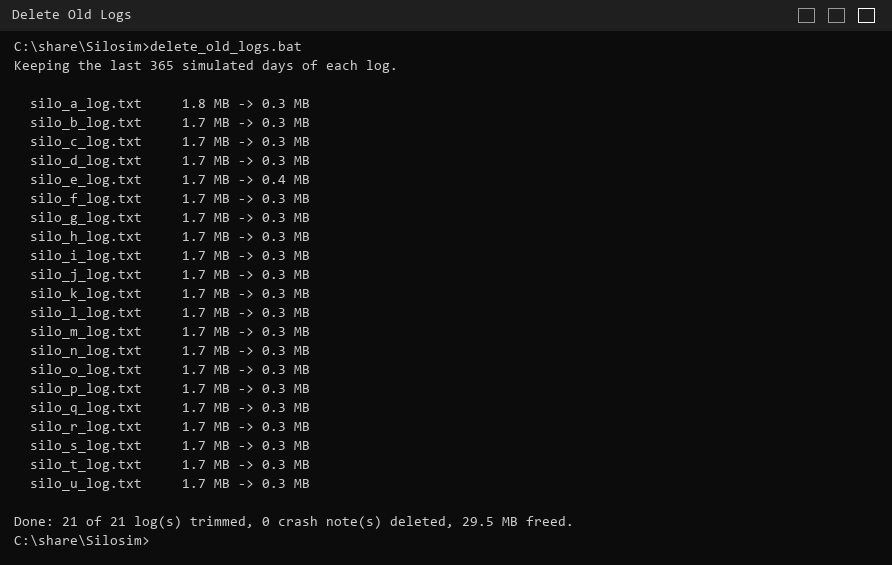
Link families
Reconnects families split across silos before kin links existed, from their life stories. Run once; unsure matches are left alone.
link_families.bat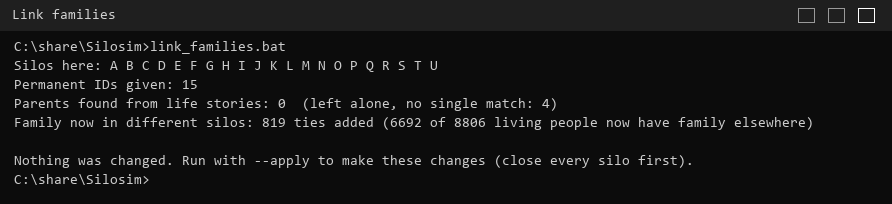
Mesh snapshot
Packs every save, history, recent log and the mesh folder into one zip, for analysis.
collect_mesh_snapshot.bat (the zip goes in snapshots)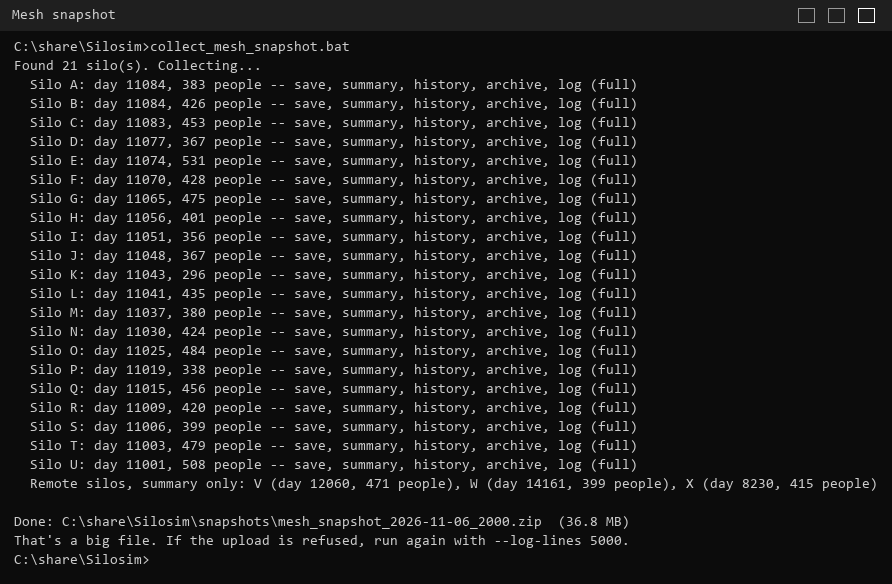
Remote silo snapshot
On V or W: tests the link to the hub there and then (HTTP and Reticulum), shows which day each lookup copy holds against where that silo really is, the last update and the dashboard's traffic, and packs it with the silo's save and recent log into one zip to send for a look. No password, addresses or messages go in it.
8_REMOTE_SNAPSHOT in the silo's folder (the zip goes in snapshots)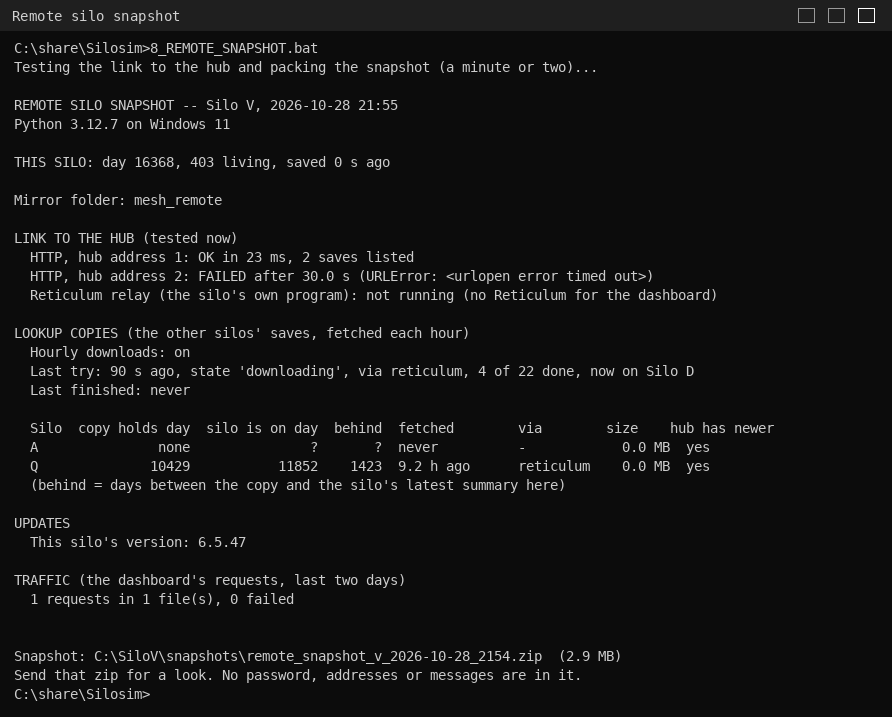 A test silo whose copy of Q is 1,423 days old.
Pictures & AI
Stable Diffusion and the local language model.
Portraits
ID-badge photos of the silos' people, painted by Stable Diffusion when the machine is idle (or when a person's page asks), shown on the lookup and family tree. Old unseen portraits are shrunk and cleared. The samples tool paints a few to check the look.
--scene-images-url; samples: PORTRAIT_SAMPLES.bat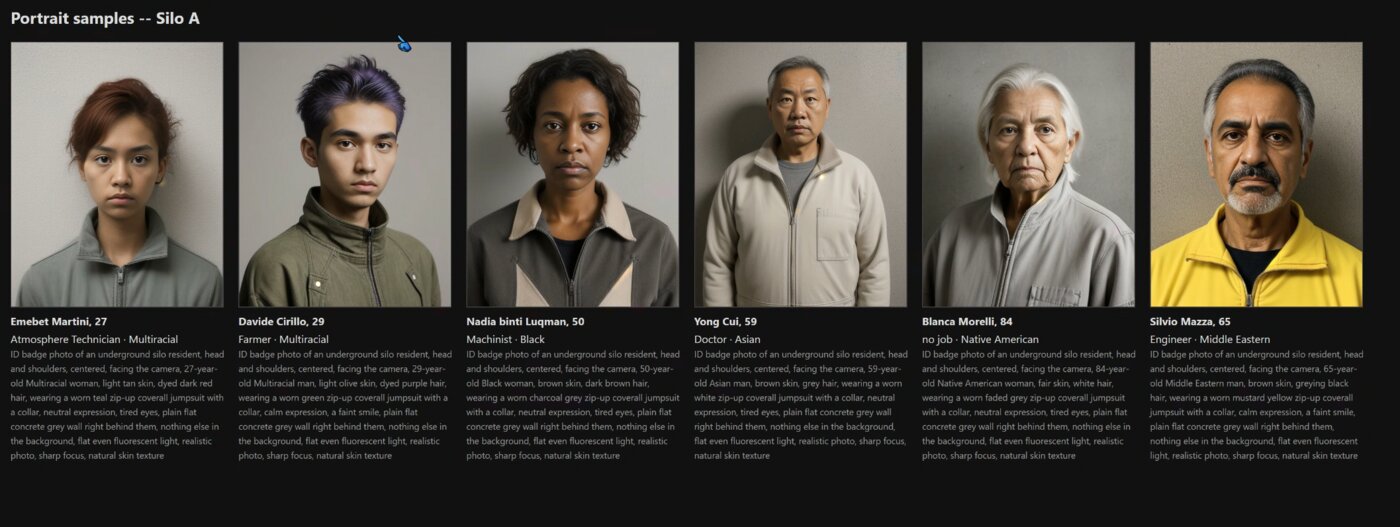 Samples from the Stable Diffusion machine.
Scene pictures and scene test
The dashboard's picture of what's happening (a meltdown, unrest, rain in winter), painted by Stable Diffusion. The scene test is a page for trying any scene four at a time, with its prompt and settings.
SCENE_TEST.bat, then open http://localhost:8898Stable Diffusion must run with
--apiFine-tuning file
Turns the project overview into questions and answers for teaching a local model about the silos.
MAKE_FINETUNE.bat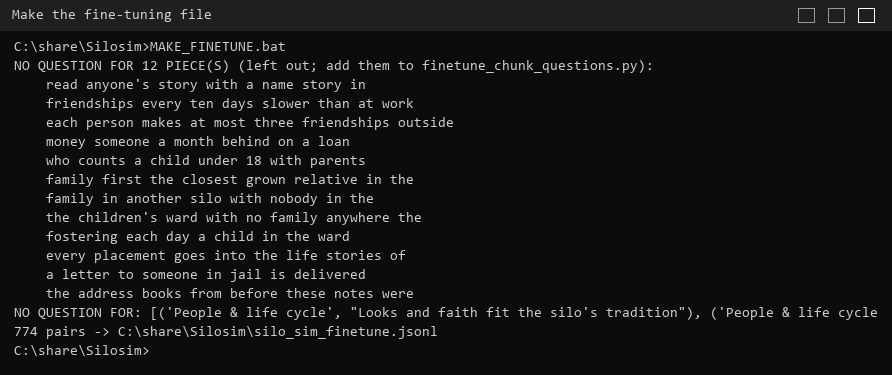
LM Studio import
Copies the silo's model into LM Studio, which narrates Silo A's days.
IMPORT_MODEL_LMSTUDIO.bat, then lms loadGadgets
Small screens and devices that show the mesh. Each one: the real one (its photo), and the drawing the dashboard makes of it, live, on its own page.
Pico status gadget
A Raspberry Pi Pico 2 W with a 3.5-inch touch screen: six screens (silo, mesh, sky, news, people, PCs) and an RGB light for the worst alert anywhere. It only reads.
pico_gadget/HOW_TO_SET_UP.txt; its page: dashboard menu Pico Gadget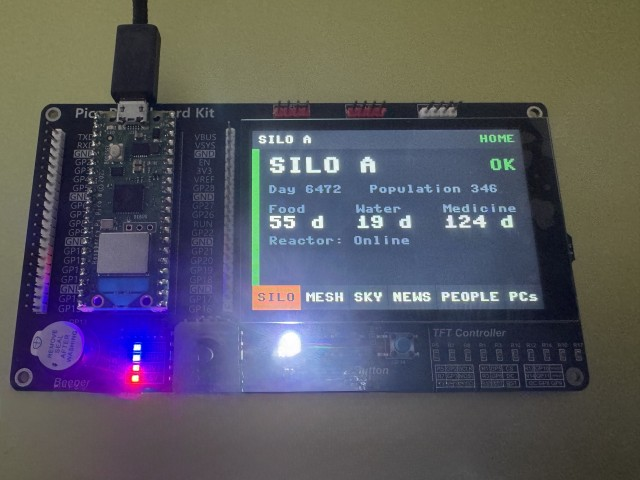 The real one.
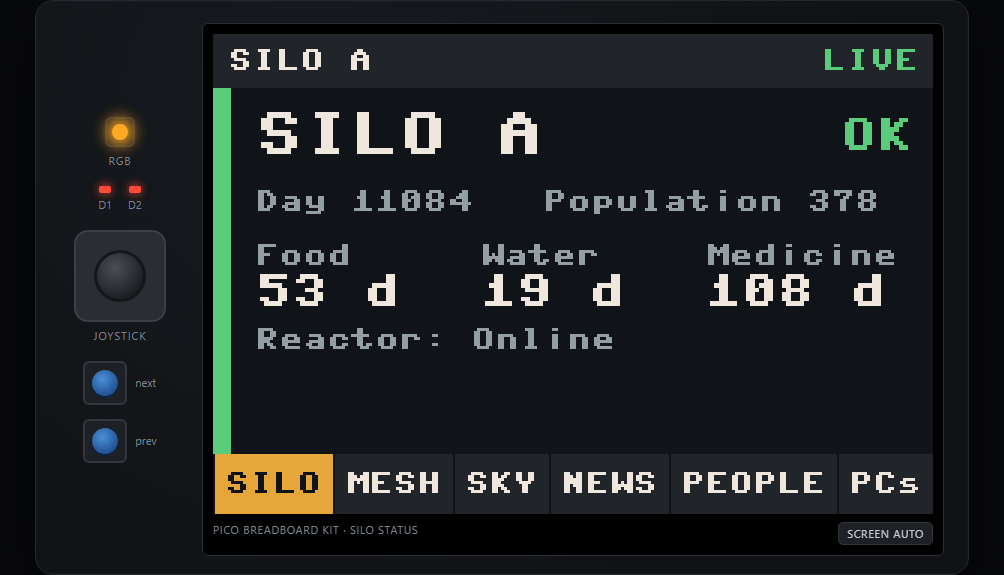 As the dashboard draws it.
Desk unit
A second Pico: a silo's SiloLook mailbox (read, reply, delete), a desk clock with the real weather where it is, the stock ticker, and the PCs screen.
ROLE = "desk" in the Pico's settings.py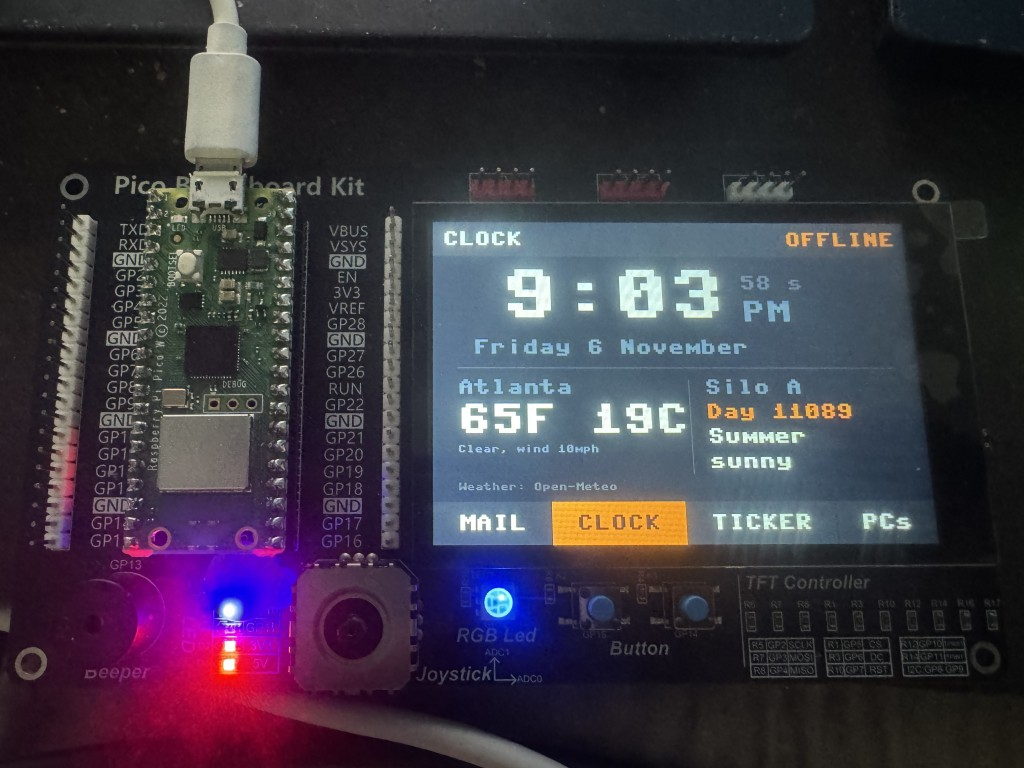 The real one.
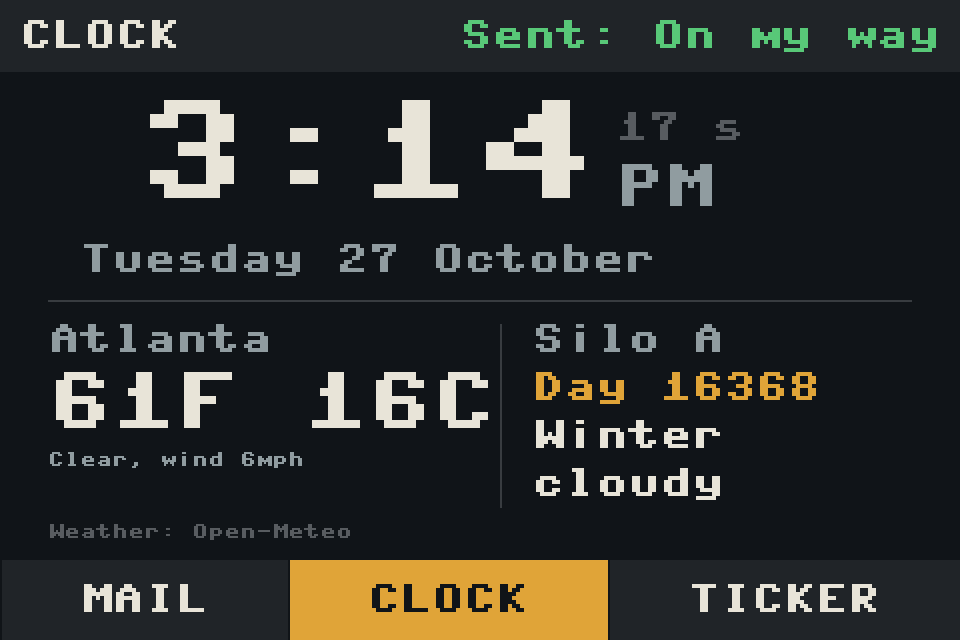 As the dashboard draws it.
Mesh watchdog (Raspberry Pi)
An always-on Raspberry Pi Zero W that isn't a silo: a Reticulum relay for the mesh, a message store, and a watchdog that writes to the sysop over LXMF when the hub or a silo goes quiet, when something serious happens in a silo, every morning, and every two hours (never at night), at home or away. Its own monitor shows what it sends and how far each message got, and its own health; reply "status" for a summary any time. If it stops reporting for 15 minutes, its page turns red and the hub writes to the sysop.
pi_node to the Pi, run bash install_pi_node.sh, then follow pi_node/HOW_TO_SET_UP.txt; its page: dashboard menu Mesh Watchdog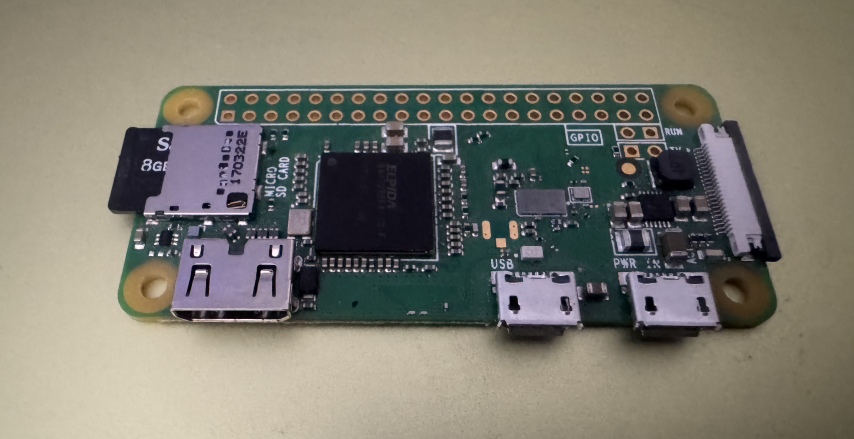 The real one.
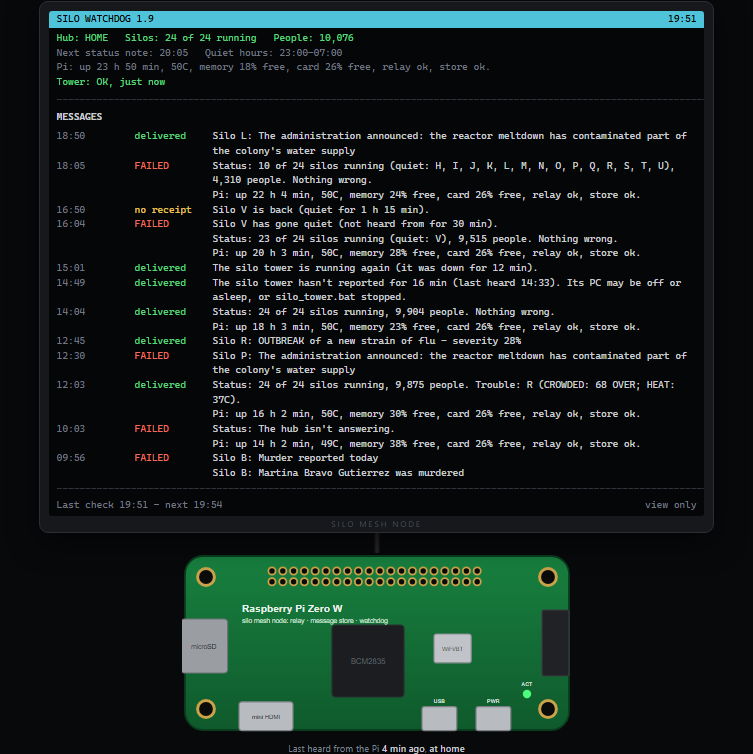 As the dashboard draws it.
Silo status tower (Arduino)
An Arduino Uno R3 with an LED strip as an alert light for the mesh: lights 1 to 24 are silos A to X. Green fine, yellow trouble, red serious, a fast-flashing red for a meltdown or a seal emergency, off for a silo not running; a new problem blinks for a minute (reds and yellows take turns). A small program on the PC it's plugged into reads the hub every 5 seconds and sends it the colours over USB; blue: that PC can't reach the hub. It dims at night, and reports to the hub every minute (the Pi watchdog writes to the sysop if it stops).
arduino_tower/HOW_TO_SET_UP.txt, then silo_tower.bat; its page: dashboard menu Silo Tower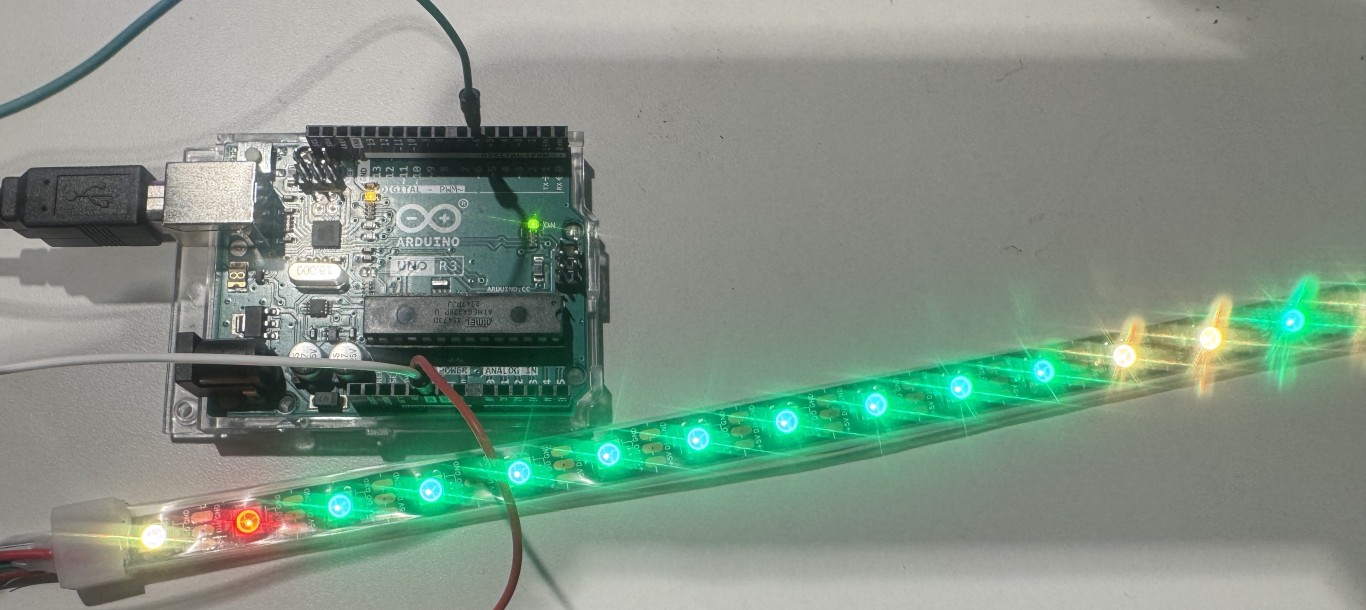 The real one.
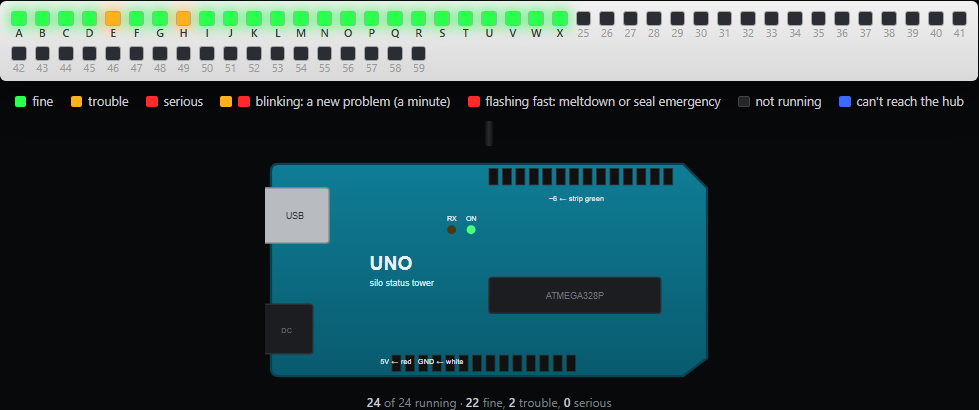 As the dashboard draws it.
Pocket tower (Pico 2 W)
The silo tower in your pocket: a Pico 2 W with Waveshare's Pico-LCD-1.14 plugged on top (a small screen, a joystick and two buttons), no wires. Silos A to X in the tower's colours and by its rules, blinking for a new problem, all blue when it can't reach the hub; the news slides along the bottom. The joystick picks a silo; A and B step through TOWER, NEWS and PCS. It dims at night.
pocket_tower/HOW_TO_SET_UP.txt; its page: dashboard menu Pocket Tower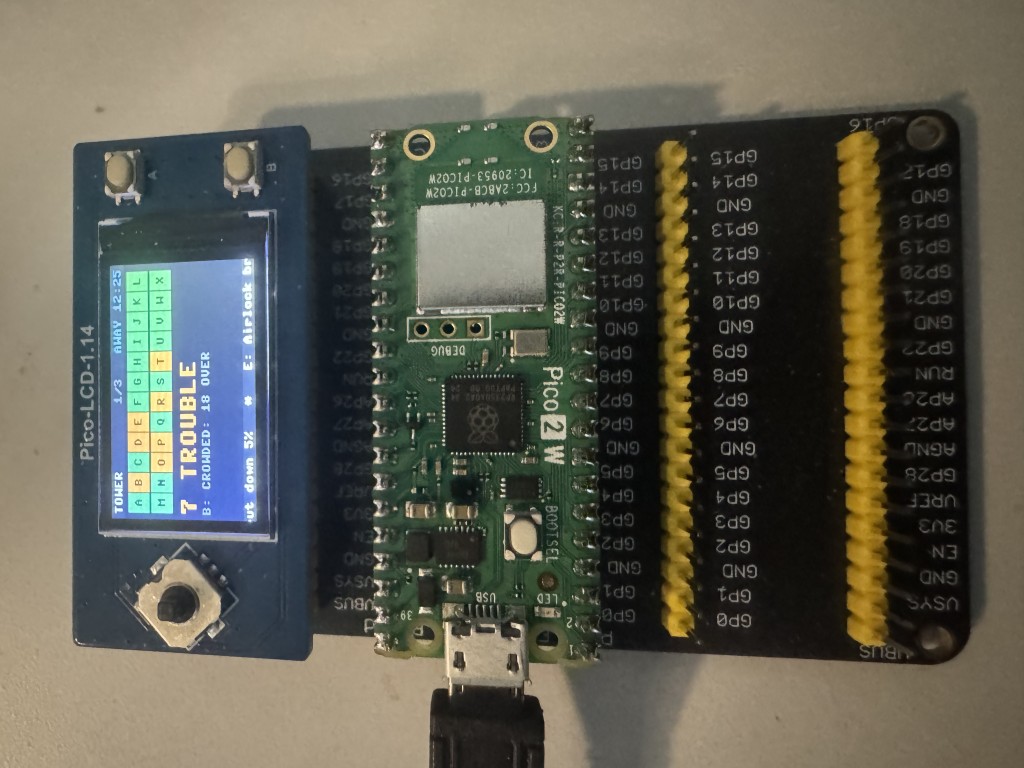 The real one.
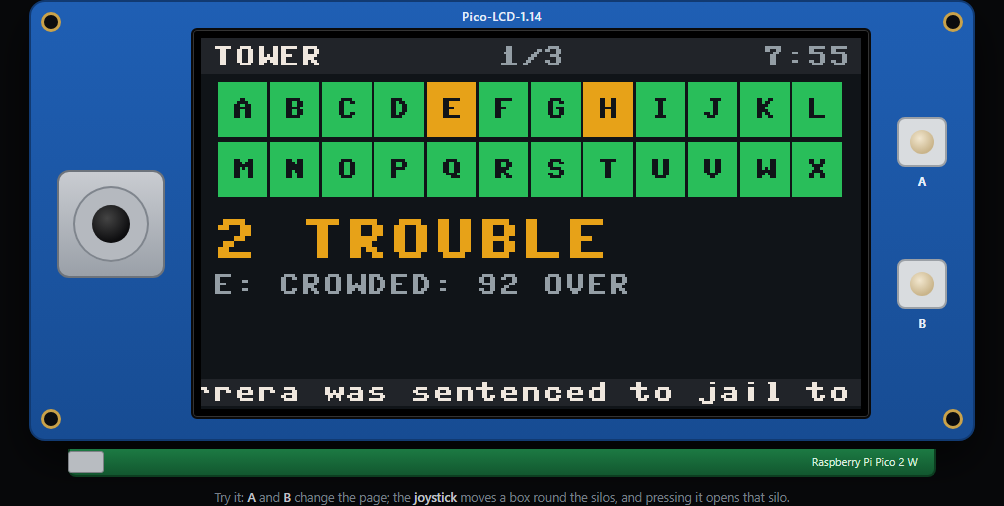 As the dashboard draws it.
Touch tower (ESP32)
The pocket tower bigger and by touch, on an ESP32-2432S028 (a 2.8-inch touch screen, an RGB LED and a light sensor) in a clear case. Silos A to X, 6 by 4; tap one for its own page; tabs for TOWER, NEWS and PCS. The RGB LED on the back shows the worst problem and flashes for a new one; in a dark room the screen dims.
touch_tower/HOW_TO_SET_UP.txt; its page: dashboard menu Touch Tower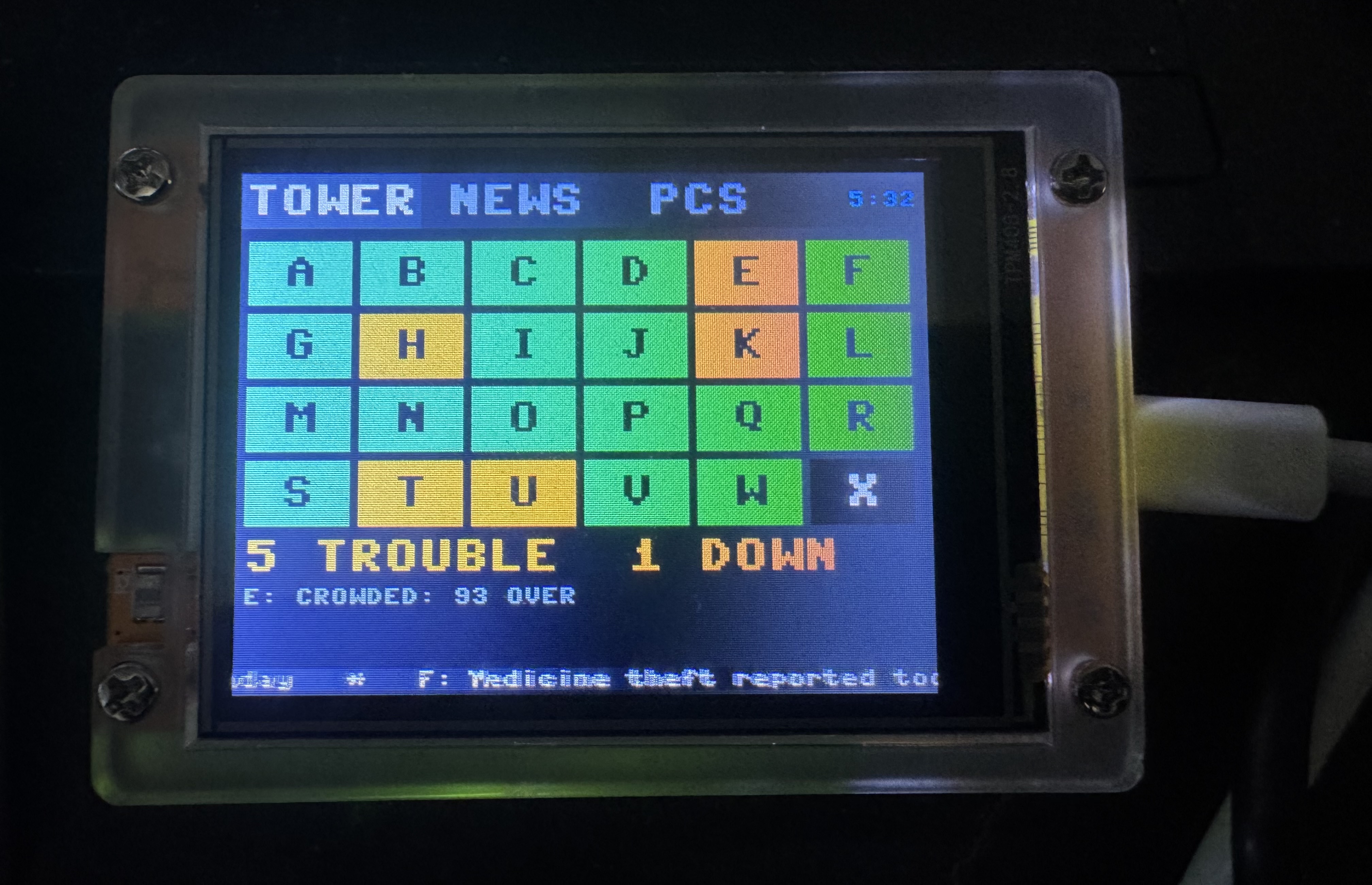 The real one.
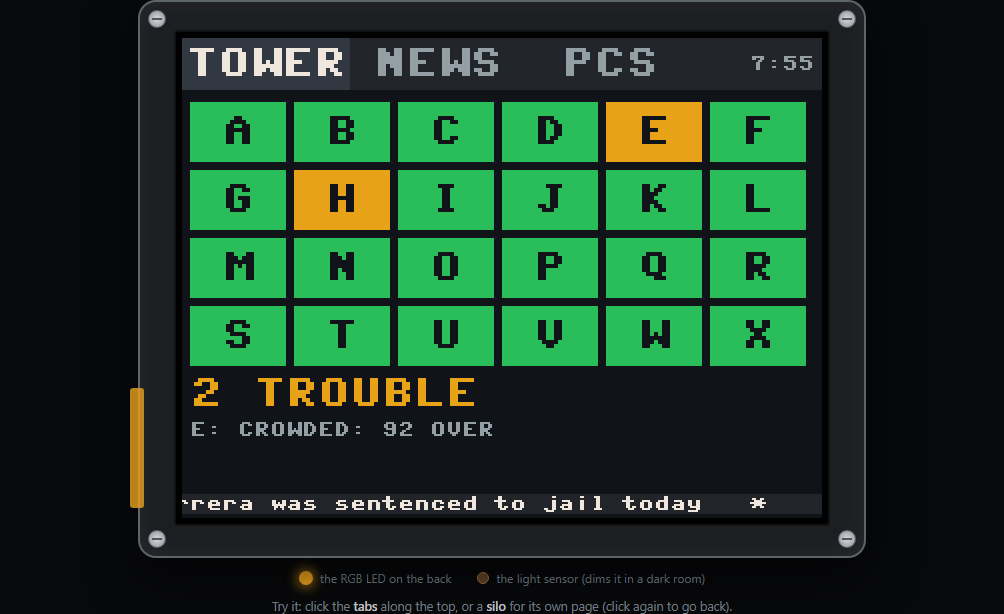 As the dashboard draws it.
Silo pager (ESP32)
An ESP32 on two breadboards with a 0.96-inch OLED and an 8x8 LED matrix. The OLED shows the worst problem in big letters (more than one take turns), the bad and warning counts, people and silos running, and the news sliding along the bottom; all clear: ALL OK and unread Silolook mail. The matrix has a dot a silo (A-H, I-P, Q-X): lit fine, blinking slowly for trouble, fast for serious, dark not running; every 30 seconds the worst problem slides across. It dims at night and shows NO HUB when it can't reach the hub.
esp32_pager/HOW_TO_SET_UP.txt (a wiring test first, then the pager); its page: dashboard menu Silo Pager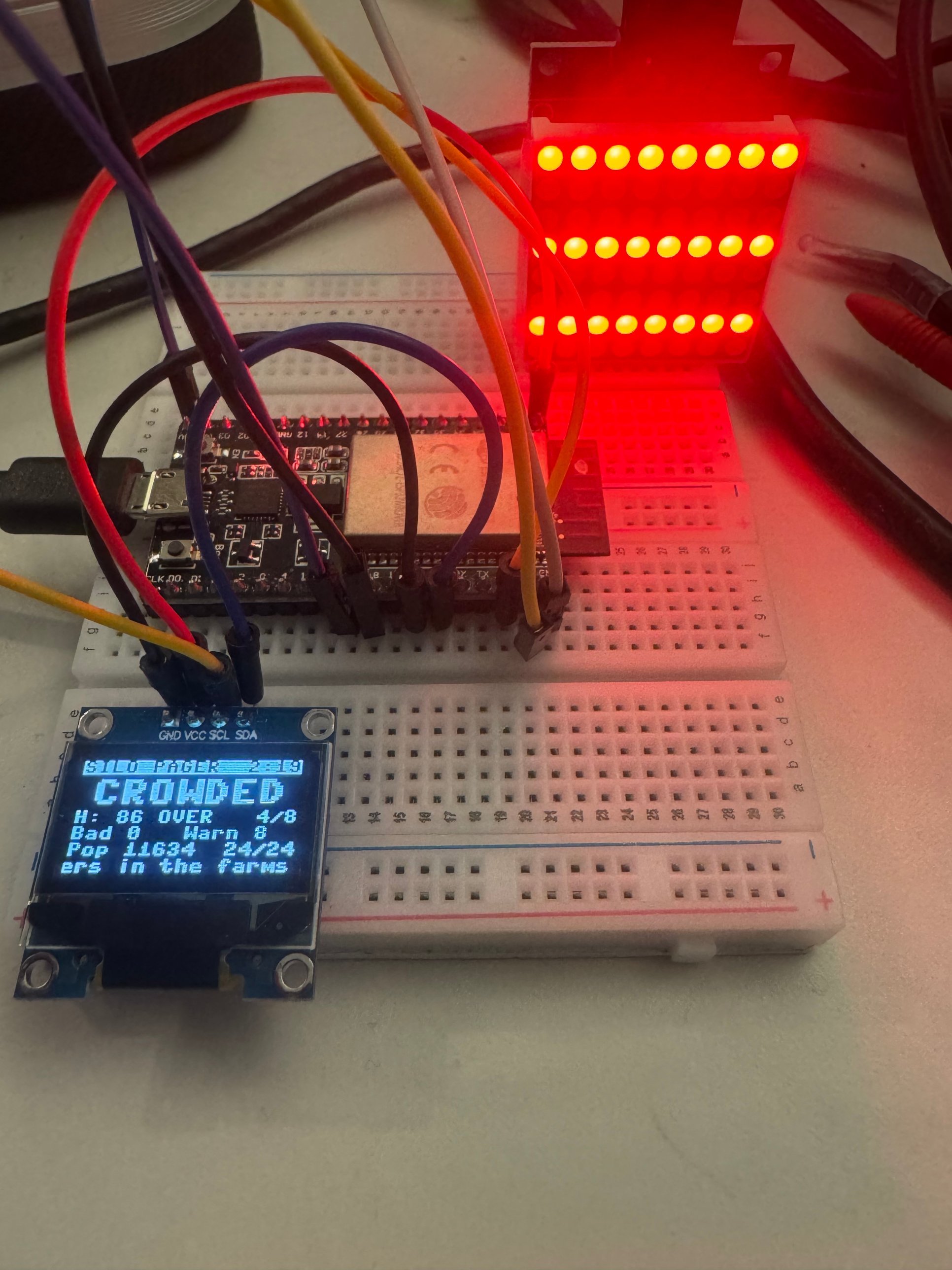 The real one.
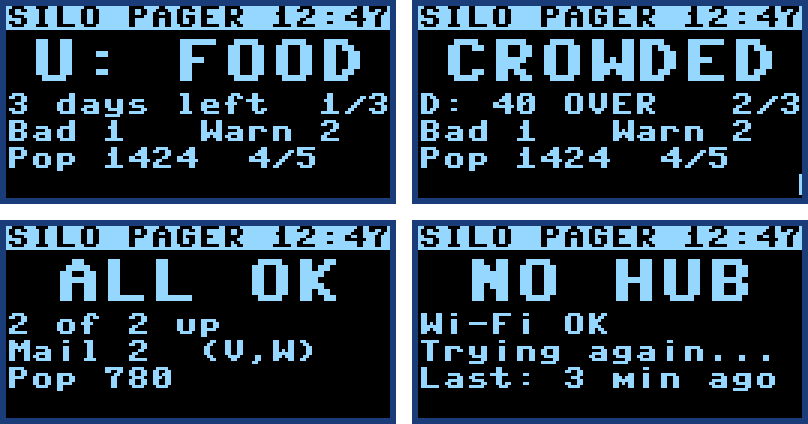 The four OLED screens, as its code draws them.
CrowPi silo desk (Raspberry Pi)
A CrowPi (a Raspberry Pi in a case with a 7-inch touch screen and a board of parts) as a silo desk. The touch screen shows every silo as a tile in the towers' colours, the hub PC's temperature and the news; tap a silo for its page. The 8x8 matrix has a dot a silo; the 4 digits take turns with the time, AL and the silos with alerts, and the hub PC's temperature; the LCD shows the worst problem and the news sliding by; the 16 buttons pick Silos A-P and the arrows step through them. The displays wake when someone is near; at night the matrix is off and the screen off until touched, an emergency still shows. A short soft chirp only if the hub PC runs hot. At home or away, by itself.
crowpi/HOW_TO_SET_UP.txt (crowpi_test.py first, then the desk and its screen); its page: dashboard menu CrowPi Desk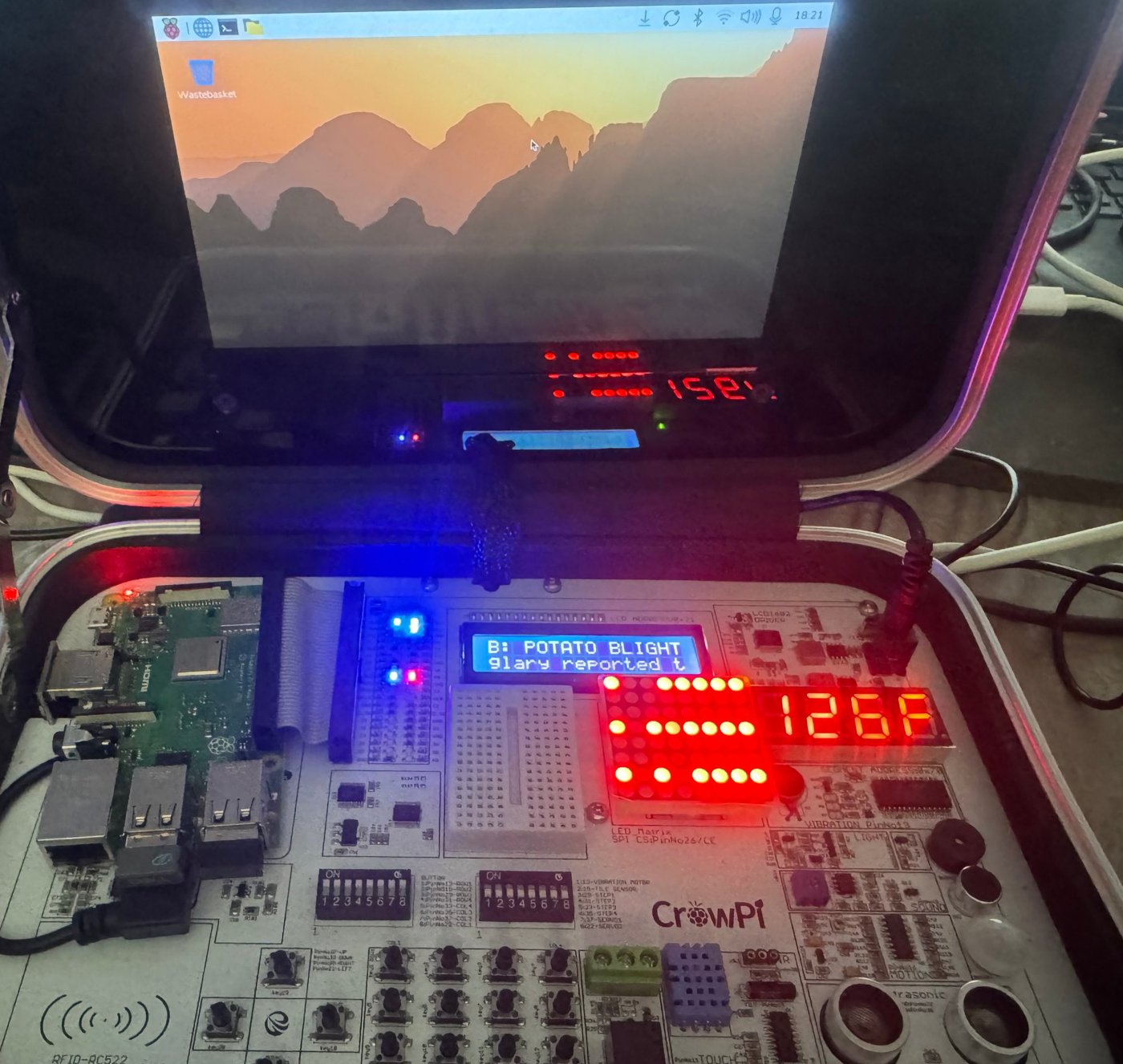 The real one.
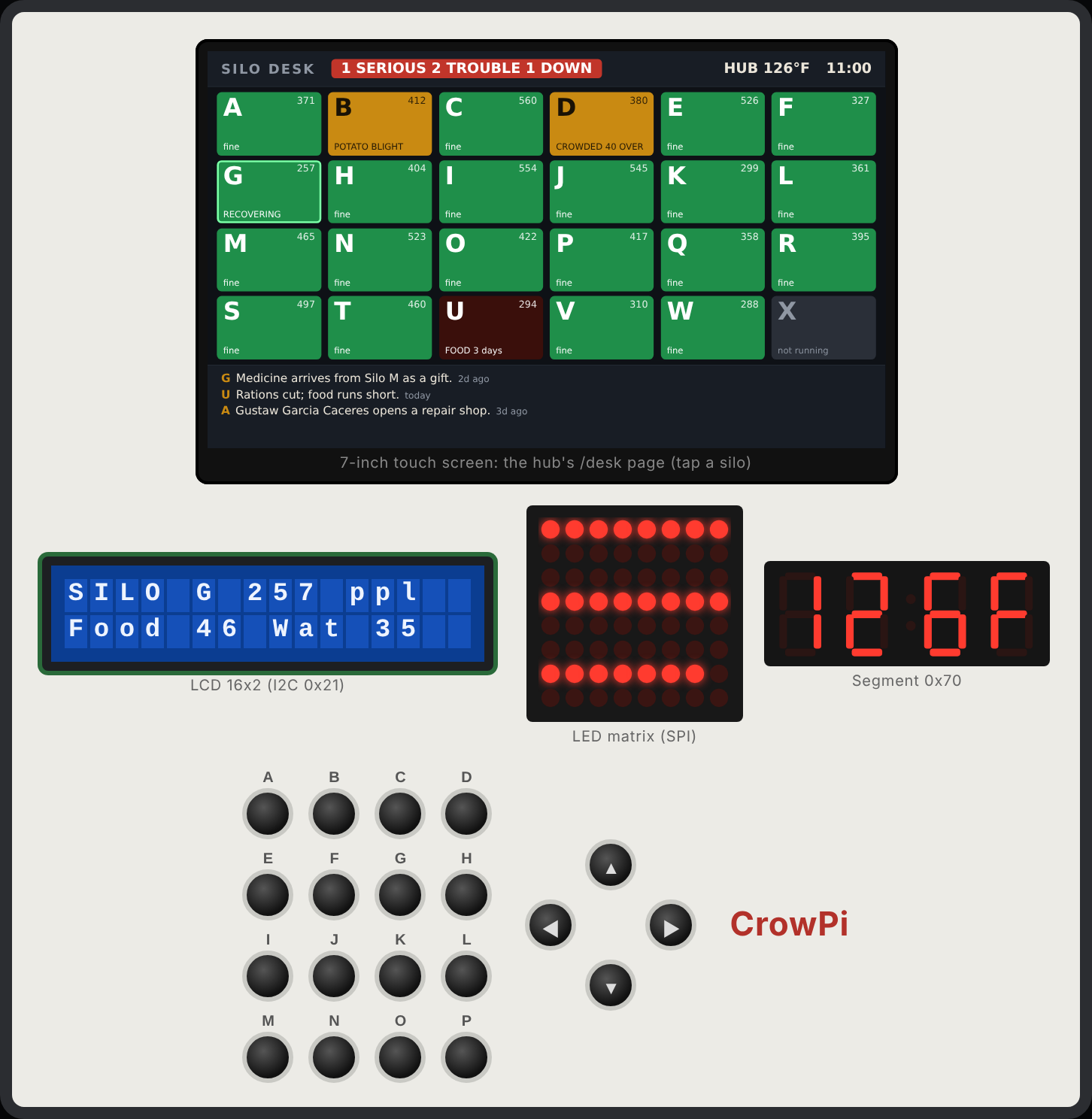 Its touch screen, LCD, 8x8 matrix, 4 digits and buttons, as its code draws them.
The gadgets' pages on the dashboard
One page for each gadget, all alike: the gadget drawn live from the same summary the real one reads (the screens work: buttons, joystick, taps), what it does, and the photo of the real one (click for bigger), with the seven pages along the top. The Pico gadget's page installs on a phone as an app. View only.
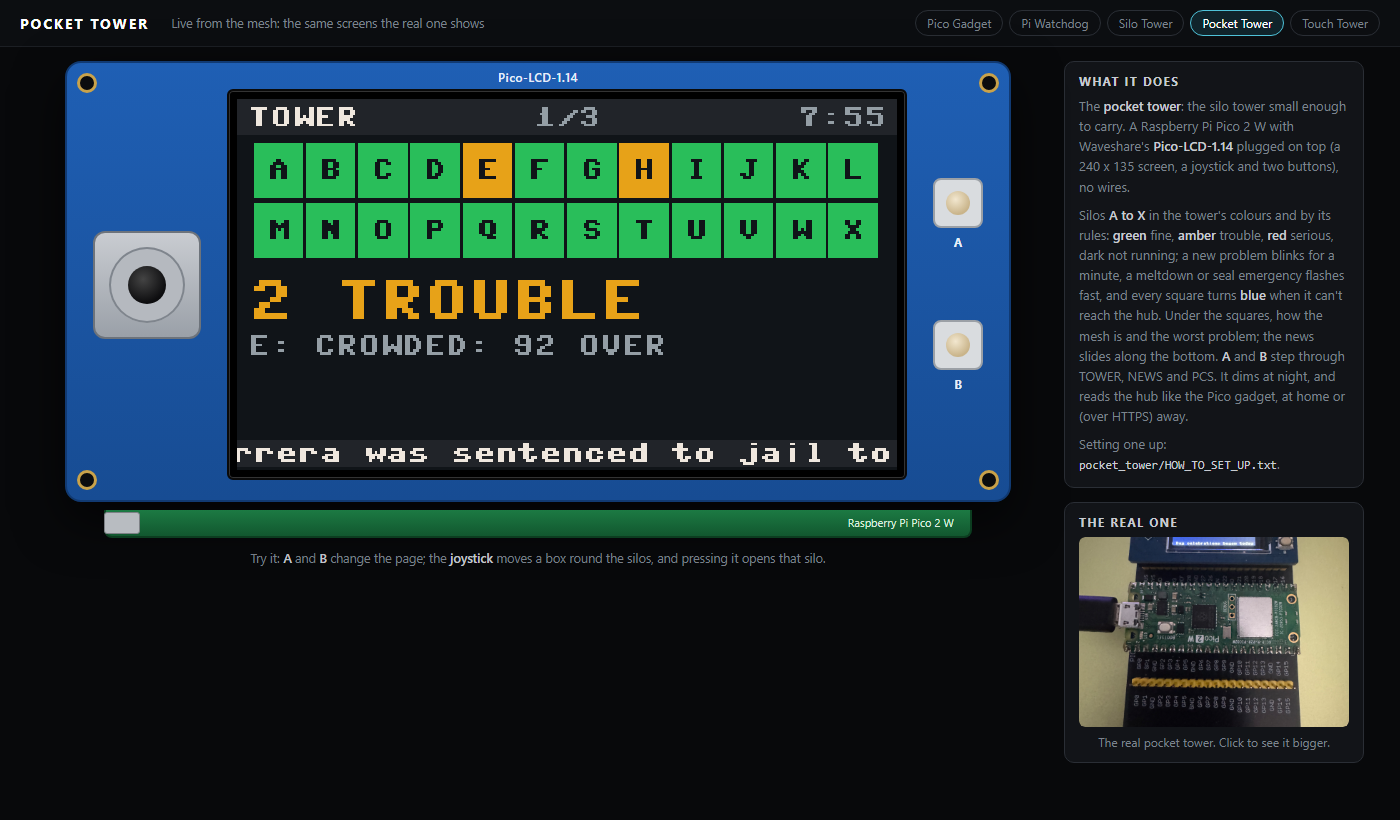 A picture of the Pocket Tower's page (click to see it bigger).See it live ↗
Watchdog web page
The watchdog's view from the Pi itself, for any computer or phone on the home network, with Status now and Test buttons.
http://the-Pi's-address:8080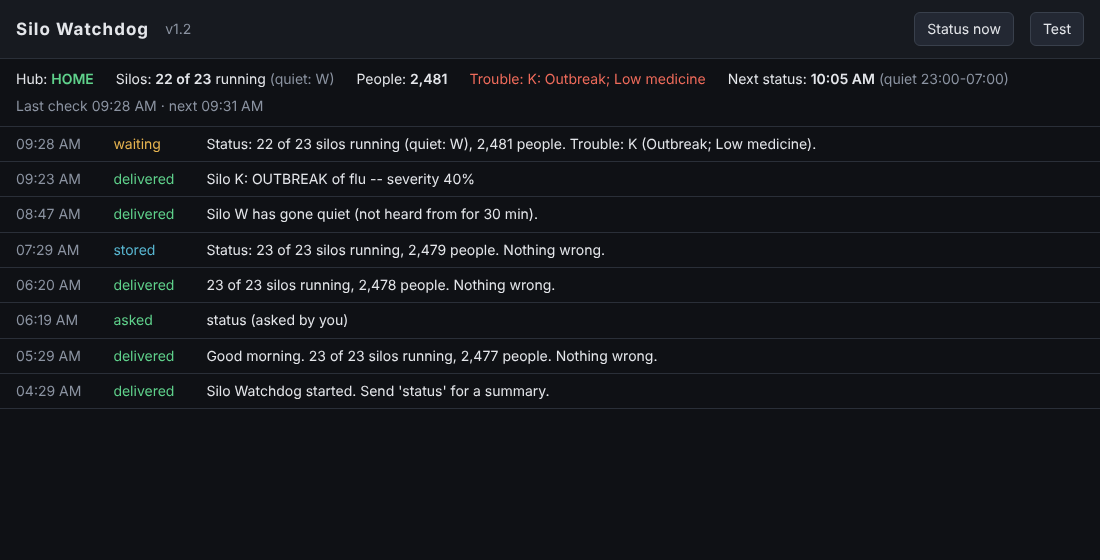
Board check
Reports what a Pico board can do (memory, speed, storage, screen redraws, Wi-Fi to the hub, HTTPS), for planning the gadget's upgrades. It changes nothing on the Pico.
Publishing
The website and the project's version. For whoever makes changes.
Update docs
Rebuilds docs.html from PROJECT_OVERVIEW.md, the Code Update PDF and this page.
python3 update_docs.pyLanding page and kit
Refreshes the website's population figures and version, builds the remote silo kit, and makes the Silo Records copy (make_public_db.py: silo_public.db.gz, the questions and date in database.html, and its button on the home page). It ends by naming the files to upload.
update_landing_page.bat (at the end it offers to upload what changed)Upload the website
Sends the website's files that changed since the last upload to the web server by FTP, into httpdocs then silo as you'd do by hand: the pages, the pictures, the silo kit, codeupdate.pdf, the Silo Records file and the sqljs folder (found from what the pages link to). It lists them first; each goes up under a temporary name and is checked. Encrypted (FTP over TLS) when the server offers it. The password is typed each time and never saved; the server and user name are kept in site_upload.txt, on this PC only.
upload_site.bat, or answer Y at the end of update_landing_page.batonly list:
python3 upload_site.py --list; everything: --allStamp version
Moves the version on when something V or W gets through Update changes, and notes what changed in each file.
python3 stamp_version.py "what changed" files...Screenshots for this page
Takes a fresh mesh snapshot, takes every screenshot on this page from a copy of it (the silos can keep running), and writes this page again. Windows open and close by themselves for a moment while it works.
MAKE_TOOL_SHOTS.bat, then upload tools.html and the tools_shots folder